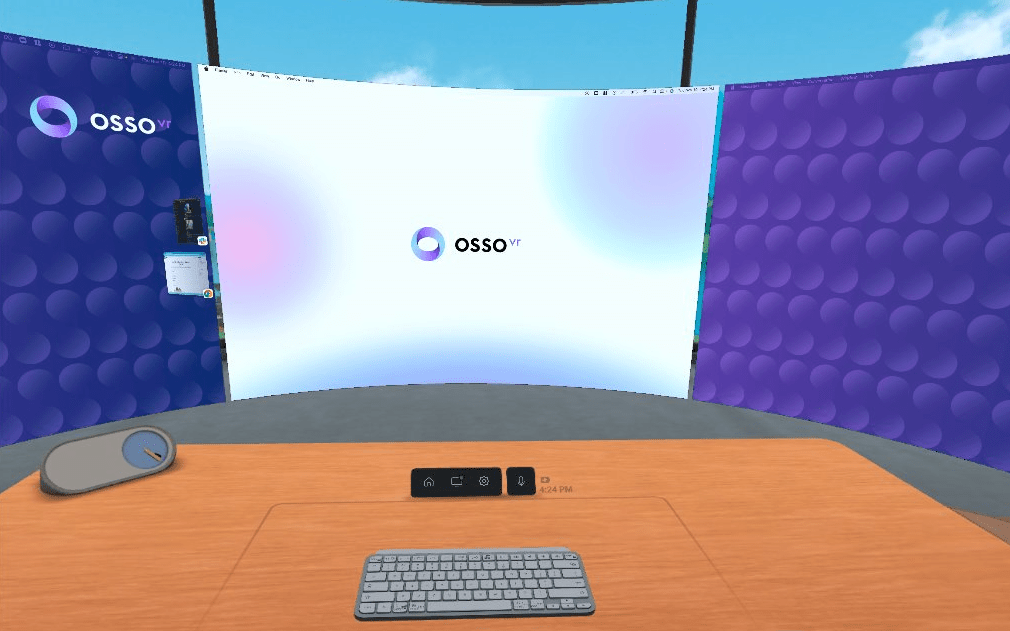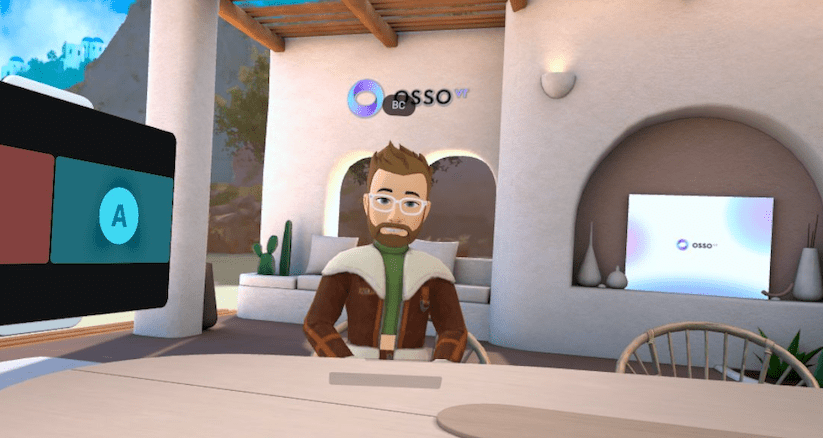
My VR Office Experiment: Day 17

Day 17 in the Virtual Office!

Total Time in VR: 3 hours and 4 minutes (across 9 VR sessions)

Use Cases: Focus Time (1 hour 29 min), Team Meetings (1 hour 20 min), MiniMindfulness (15 min)

Just like the real world, I think it’s important to wear different clothes every day in the Virtual Office. Unfortunately I was a little hasty in selecting this morning and ended up wearing a crop top to my morning stand up. Meta really needs to work on the wardrobe options, and give more “real world” outfits because some of them are just bonkers right now. Fun? Sure. But not things you would ever wear to the office.

Today was a return to normal in the VR Office. I ran with the rule that if I could be in VR I would be in VR. So a couple Zooms were still required, but for the most part I stayed in VR today. That meant watching a few Zoom calls from inside VR too (with my camera turned off, since my laptop isn’t anywhere near me). I very much prefer the VR office to the passthrough office as it gives me a sense of being “somewhere else”.

Cup Half Empty: I flagged a couple things today that were frustrating. First, inside the VR Office I would occassionaly get the “loading hum” that you hear when you are moving between spaces in Workrooms. But the hum wouldn’t stop. My only option was to close out of Workrooms and re-enter the application. Not ideal. It seemed to happen if I moved out of my desk boundary briefly. The sound starting makes sense, but when I returned to the desk it should turn off.

I also had noticeable lag with the cursor. And sometimes the cursor would just start moving on it’s own! Also since I was playing Apple Music while working, the sound became choppy and would speed up oddly when this latency problem occurred. Hopefully this doesn’t become a trend.

Cup Half Full: It was great to have a full day back in the original VR Office downstairs. I used the isolation of the VR Office to do lots of Focus work today and attend meetings where I only needed to listen. I started my day in Mini-Mindfulness alone, but I again used the Calm app for a guided meditation and I really enjoyed that.

#TLDR

The fourth week is in full swing! I have lots of dedicated VR time planned this week, so I’m paying close attention to my productivity in VR. I expect an upswing there, but only time and good tracking of that time, will tell.

I can’t end my post without noting that a new Walkabout Minigolf course released today! The Myst Course is now available via DLC pack. I played a quick round over my lunch hour today, and it is WILD. Lots of triggering objects and borderline puzzles to solve to get good scores. Definitely worth the $3 charge. Check it out!!

Till Tomorrow…
BC

My VR Office Experiment: Day 16

Day 16 in the Virtual Office!

Total Time in VR: 1 Hour and 27 Minutes (across 2 VR sessions)

Use Cases: Team Meeting (57 min), 1:1 Meeting (29 min)

I debated skipping today entirely, but I like streaks, so I wanted to put something down. I did use my headset twice today. I had a personal day from the office, and so I didn’t use VR much at all.

I did meet with my team for our regular weekly Project meeting and that was good. I always like being face-to-face with my team as we discuss the many things we have going on. I also met with my manager towards the end of the day, just to catch up and chat. Again, VR beats Zoom and Slack any day of the week when you want to really connect with someone, and I’ll shout that from the mountaintops.

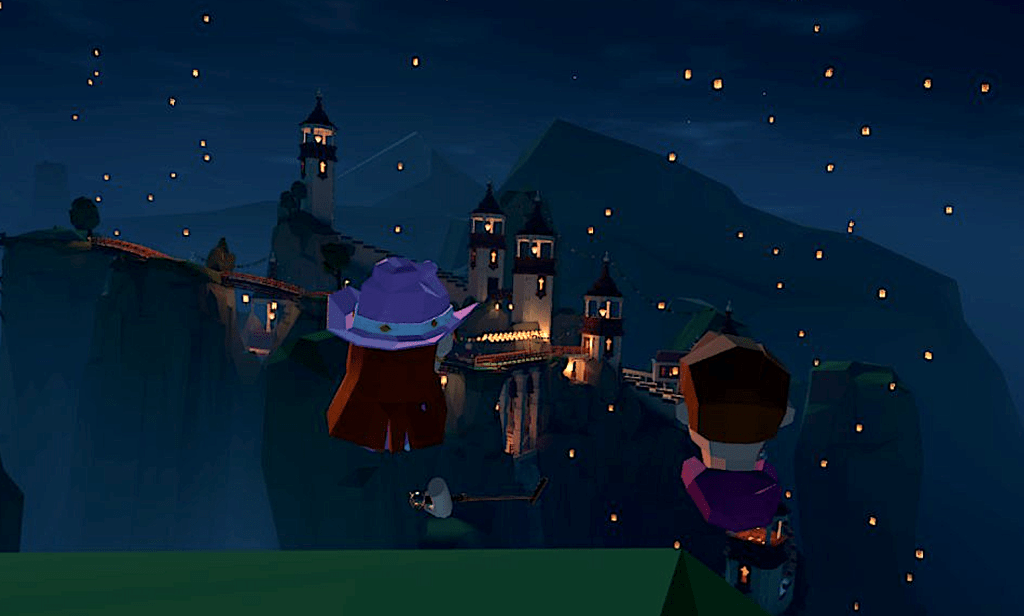
My banner photo today is from one of my favorite places, “Welcome Island” in Walkabout Minigolf. When I need to re-charge this is one of the places I virtually run to and find friends to hang out with and have some fun.

Cup Half Empty: Rough start to the week, but this personal day was planned, so it’s nothing I’m concerned about. I want to come in hard tomorrow though, to break that plateau that started in Week 3.

Cup Half Full: I needed some people connection today, and VR made that happen. Sometimes it’s not about the game, but about the connection, and that was true for me today for sure.

#TLDR

Basically a lost day for the VR Office Experiment, but VR still played a role in some of the better parts of my day. Tomorrow Week 4 really begins.

Till Tomorrow…

BC

VR Office Product Review: Face Cover with Fan

Every two weeks we review one product/service/software that we find helpful when setting up a VR Office, or working within the Metaverse in general.

First up is the Face Cover with Fan. This accessory has been a GAME CHANGER for me as a long time user of VR. A simple tool that makes wearing the headset for prolonged periods so much better! If you are inspired to pick up your own, you can find it HERE.

Check out the very end to see a “blooper”!

Till Tomorrow…

My VR Office Experiment: Day 15

Day 15 in the Virtual Office!

Total Time in VR: 4 hours and 4 minutes (across 4 VR sessions)

Use Cases: Focus Time (1 hour 18 min), Community Time (1 hour), Evening Work (1 hour 45 min)

Today was one of those days where the real world made VR difficult. I started my day dealing with a leaky tire on my car. As much as I love Virtual Reality, I am not prepared to put on a headset in the waiting room of a mechanic! I had a day of mostly Zoom meetings. I plan in the future to try joining Zoom calls using a VR Camera (this is possible with the Immersed app versus my home base of Horizon Workrooms), but I didn’t have the energy for that today. So a bit of a whimper to wrap the week, but there were still some moments worth highlighting.

Cup Half Empty: I didn’t do enough today to hit any walls. So I’ll leave the empty half of the cup alone today.

Cup Half Full: I spent some time in a couple Mini-Golf sessions today. The first with a couple fellow Osso team mates. I was able to demonstrate the “Power of Three”. This is a philosophy I have about collab VR that I do inside VR so I can simulate the experience. Basically with two people you have a back and forth convo. The rules are simple. You face each other and take turns talking. Predictable. Our brains like it. Then you throw a third person into the mix. Now something much more dynamic takes place. Who speaks in what order is up for grabs! And you need to move between the other two people in the convo. It’s a physical shift your brain FEELS! But it is a good thing, because it feels totally normal, and unlike anything Zoom can simulate. I started our golf session doing this demo and I think the point hit home.

I wrapped my day on another mini-golf course, this time with a couple folks from a third party I’ve been working with for a while now. This was another group of three, so while I didn’t do my same stump speech, we were living the “power of three” throughout our hour of time together. That was a great way to end the week, after a day of light VR.

Since I didn’t spend much time in the headset today, this evening I decided to make a test video highlighting the ability to film through the passthrough cameras to show the physical space (similar to Augmented Reality). I did this with the Quest Pro, but it works with Quest 2 (just the video is grey scale not full color). Check it out!

Test Video for Passthrough filming (my apologies for the shaky camera..aka my head)

#TLDR

I am looking forward to crunching my numbers for the week to see how things changed from Week 2. I feel like I spent less time in VR. The physical world got in my way a little more this week than the first two. That’s not a fail. That’s a reality, and all part of the experiment. I’m still feeling very good.

And if the guys I played my last round with today are reading this, good luck trying to beat me at Walkabout Minigolf next time!! 🙂

That’s a -15 for BC. Claiming victory on the 20K Leagues Under the Sea Course!

New videos coming this weekend, stay tuned. You can find those on this site, but also now on You Tube as well!!

Till Tomorrow…

My VR Office Experiment: Day 14

Day 14 in the Virtual Office: Remote Office Edition!!!

Total Time in VR: 4 hours and 30 minutes (across 5 VR sessions)

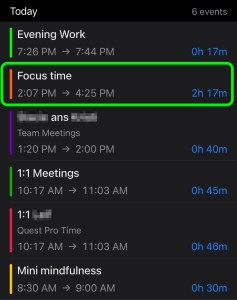
Use Cases: Focus Time (2 hours 17 min), Team Meetings (40 min), 1:1 Meetings (45 min), Mini-Mindfulness (30 min), Evening Work (17 min), Quest Pro Time (46 min)

Sneak Peek into my Raw Data Screen

Today was kind of amazing. Check out “Focus Time” in that graph! Over 2 hours of Focus time and here’s the wild part, it was all in one session! That’s the longest I have ever been in Focus Time, and the crazy part was today I wasn’t using my beloved Face Cover with Fan (silicone cover today for “cover testing”). It kind of blows my mind. I did some serious “thought work” today which at times meant I was sitting in my VR Office thinking. I was working out a few things and then putting a powerpoint together. Having that dedicated “thought space” of the Private VR Office was exactly what I needed, and the time just flew by!

Cup Half Empty: I don’t have much to say here today. I expected to be hurling the silicone cover face cover under the bus, but it wasn’t actually bad. I had a few times when my laptop disconnected from Workrooms and I had to reconnect, but that wasn’t that distracting, and it often coincided when I was opening and closing windows and swiping the screens around.

Cup Half Full: I’ve already raved about the long Focus Time today, so I won’t belabor the point. In addition to my couple hours this afternoon I had some team meetings and a 1:1 with my manager. I used the Quest Pro during Mini-Mindfulness and didn’t see much of a difference in the experience. Since only two of us were there today we ended up chatting for a while before our meditation, and we almost ran out of time. Funny how you can lose your sense of time when engaged in a dynamic face to face conversation!

#TLDR

The VR Office moved back to the remote office for the second time. I still marvel at how once you are in VR the actual room doesn’t really matter anymore.

I want to keep experimenting with a smaller pack to make the VR Office more portable (it’s still two bags). More and more this virtual space with this cartoon world is becoming “where I go to work” and that boggles my mind a bit. I know I’m an early adopter (and a little crazy), but I hope to give more people the opportunity to experience this space. I put a friend into my VR office on Monday, and he quickly was able to say “I could see myself working in here a lot”. It’s not a huge lift. It’s not a big learning curve. But we need to keep at it, and get more data to prove it out. And find those pitfalls, because they are there. I’m not switching to rose colored glasses by any stretch!!

Till Tomorrow…

My VR Office Experiment: Day 13

Day 13 in the Virtual Office!

Total Time in VR: 5 hours and 26 minutes (across 9 VR sessions)

Use Cases: Focus Time (52 min), Team Meetings (1 hr 15 min), 1:1 Meetings (1 hour 15 min), Mini-Mindfulness (30 min), Community Time (35 min), Evening Work (40 min), VR Fitness (15 min), Quest Pro Time (1 hour 55 min – not included in totals)

I am starting to settle into my upstairs office finally (right before I do my “remote office work” tomorrow!) The desk downstairs never had a monitor on it, as it was purchased for this very experiment. But the desk I’m working at this week used to have two 27 inch monitors sitting on it! I actually ditched one of the screens because I didn’t like so much monitor clutter on my desk. But then I found my productivity challenged with less screen real estate to work with after the switch! I guess with my VR Office I’ve found the happy medium. I have an empty desk when I’m not in VR. And when I’m here I have screens literally wrapped around me! I love it.

Cup Half Empty: Today was my first round of “test some other face covers” ahead of my review of the Face Cover with Fan this weekend. I won’t go into the details here, but needless to say, when a fan isn’t blowing gently on your forehead for the many hours of VR, you notice! I expected the heat, but the real challenge for productivity today was that the screen wasn’t as clear as usual. I don’t mean that the lenses fogged up. I think that it was “muggy” in there, and created a haze that I’m not used to seeing.

One issue came up in Horizon Workrooms today with audio. I was getting lots of feedback from others in the room and causing feedback myself (as my team informed me). I ended up muting myself when not talking, which might be status quo on Zoom calls, but when you are meeting “in person” in VR, it’s so much better not to have a mute button between you and the others in the room hearing you. I’m going to keep my attention on these audio issues, and hope it doesn’t become a trend.

Cup Half Full: I got to do OssoVR Community time again this week after being too busy for it last week. And a couple people from a different department showed up unexpectedly! It was so awesome to connect with team members outside my immediate organization. To just chat about life and family. And to immediately mock misses and cheer amazing shots (including a stunning hole-in-one). I feel connected to these folks even if I don’t work with them regularly, and that is one of the powers of Virtual Reality and the emerging metaverse.

I started my day with my two favorite VR meditators. It’s been almost six months since we started doing these morning “Mini-Mindfulness” sessions. So I snagged a shot at the end of our session. To many more mornings together!!

#TLDR

Despite the audio issues that plagued my first couple sessions of the day, today was a solid day in the VR Office. I did a lot of switching back and forth between Zoom and VR today, which gave me good balance and was EXACTLY what I needed with the native face cover heating up my face to uncomfortable levels. I spent some time with my manager at the end of the day and we were both a little tired from the busy day. That’s when we discovered that when using Quest Pro, you can’t hide your yawns!! This was my first experience seeing another person in VR using facial tracking and it was pretty cool. A game changer for collab VR??? I’m not so sure about that, but we’ll keep testing and seeing what ends up having value and what is just neato.

Till Tomorrow…

BC

My VR Office Experiment: Day 12

Day 12 in the Virtual Office!

Total Time in VR: 5 hours and 21 minutes (across 13 VR sessions)

Use Cases: Focus Time (1 hour 46 min), Team Meetings (2 hours 5 min), Quest Pro Usage (1 hour**), MiniMindfulness (28 min), 1:1 meetings (28 min), Evening Work (22 min), VR Fitness (10 min) [**Quest Pro usage is removed from overall time, as I run simultaneous timers when using the Pro]

While not yet back to 100%, I definitely felt much better today and was able to use VR more effectively over yesterday’s sessions. I decided to watch our Weekly All-Hands Meeting for OssoVR in VR again this week, and one of my co-workers joined the session. We had a pretty fun time watching the Zoom on the big screen, and since we were muted in Zoom we were able to chat a bit during the session, asking questions, commenting on the Zoom Chat to each other. It was just a very dynamic way to do something that is familiar. OssoVR certainly makes our All-Hands meetings fun, but sitting next to someone in a “real” space is unmatched when it comes to engagement (only a physical meetup could beat it IMO).

Cup Half Empty: I saw a couple issues today with tracking in Workrooms. I had a weekly 1:1 with another manager today and his desktop passthrough was failing to track properly. Sometimes closing and re-opening the desktop passthrough resolves the issue when I’ve seen it happen. But that didn’t work today. He ended up re-starting his headset and then re-joining the session without further tracking issues. Unfortunately the glitches did not end there though, as his avatar froze for me shortly after he re-joined. He could see me moving, and he could see himself moving. I decided to return to my “Personal Office” and then rejoin our meeting and that quickly resolved the avatar issue for me, and the problem didn’t arise again. These are the types of simple issues that can derail what might be a productive meeting in VR, and must be resolved in order to see wider adoption of VR for meetings.

Cup Half Full: I have had some good engagements in VR meetings today and yesterday. I even was successfully “pranked” by one of my co-workers who snuck up out of my line of sight in a VR session with another person. Only when I turned to my left did I realize someone was 3 inches from my head. I nearly fell out of my chair! Those moments are impactful. For every avatar that freezes up, or desktop not tracking properly, stories like this help balance things out. You can put up with some “technical issues” if there is a pay off. And while this engagement was mostly humorous, it proves a deeper point about how these interactions in Collab VR feel VERY REAL. I love working in VR solo now, especially with the updated screens in the Private Office, but the real power of Virtual Reality for Productivity remains in Collaboration.

Supernatural Stretching with Coach Dwana!

I added a new category today called “VR Fitness”. If I’m tracking my mental fitness with “MiniMindfulness” I think it’s worth tracking other fitness apps during this experiment. I’ve been struggling with back issues and I used the app “Supernatural” to do a series of stretches. I’ve loved this app for a long time, but this low impact exercise was exactly what I needed to end my day strong. So as I use fitness apps, I will be tracking that too.

#TLDR

The VR Office Experiment is picking up steam again in Week 3. I encountered several bugs today that a beta tester can easily tolerate but that a skeptic would use to throw VR directly under the bus. Understanding how to quickly resolve those glitches is key in the short term, while we hope that the developers of the software (in this case Meta) fix the problem more permanently. Tomorrow I do my first “Face Cover Test” switching up from my Fan Face Cover to the one that comes right out of the box. Fingers crossed I’m not too miserable. Who knows, maybe I’ll be surprised and the negative impact on my experience will be minimal. Time will tell.

Till Tomorrow…

My VR Office Experiment: Day 11

Day 11 in the Virtual Office! Just a half day today…

Total Time in VR: 2 hours and 4 minutes (across 6 VR sessions)

Use Cases: Focus Time (48 min), 1:1 Meetings (44 min), Team Meetings (20 min), MiniMindfulness (10 min)

It was a slow start to Week 3. I actually took a half day of PTO last minute, so technically I still managed slightly over 50% of my day in VR. I worked with our People Ops team today, as they are planning to do some exploration of VR for Team Meetings in the future.

Cup Half Empty: When you have lower energy in general, VR is not optimal. That shouldn’t surprise anyone, but I’m stating it anyway for the record. I am working from my normal home office this week, and settling in with the different layout is taking some adjusting, which also isn’t surprising. I also forgot to charge my Face Cover Fan, so several meetings in VR were without the air flowing. Since I’m reviewing that fan this week, I’m planning to use a few different face covers. Based on my experience today, I think I’m going to miss the fan! But time and testing will tell.

Cup Half Full: I started my day trying to get my blood pressure to lower a bit. I used the same tools from Friday (Daily Calm + Walkabout Minigolf) to create a space to rest and breathe slowly. I was able to get things calmed down pretty quickly. This is just shows how VR can be a tool for many things, and today it was a health tool for me!

I also discovered today that I miss my 3 big screens when I’m just working on my 13 inch laptop (featured photo today!). It feels so much more inefficient. Sure you could “Alt-Tab” your way from window to window, but in my experience that breaks flow and slows me down. With my triple monitors (or double for the PC folks), everything I use regularly is just a glance away, not a click, swipe, or screen re-arrangement.

#TLDR

I’m not going to let today’s slow start to the week bother me. I wasn’t feeling great and that happens. My feelings weren’t tied to my VR use, so that’s a good thing. Even in my sub-optimal state, I still was able to help onboard two team members, meet for a regular 1:1 and get some focus time in my Personal Office. I’m excited to see how the upstairs office goes tomorrow when I’m hopefully back to my old virtual self.

Till Tomorrow…

BC

My VR Office Experiment: Day 10

Day 10 in the Virtual Office!

Total Time in VR: 3 hours and 10 minutes (across 6 VR sessions)

Use Cases: Focus Time (1 hour 23 min), Team Meetings (56 min), Mini-Mindfulness (29 min), Evening Work (21 min)

While I didn’t spend as much time today in VR as the rest of the week, a couple of sessions painted a picture of the balance I find in these virtual spaces. So here is “The Tale of Two VR Sessions”.

My first session of the day was Mini-Mindfulness, as it is most days. But today I was heading to the mini-golf course alone. My co-workers told me they wouldn’t be in attendance, so I was able to prepare ahead of time. I’ve been meaning to test out using a meditation app for the 10 minute session, and a solo session seemed the perfect opportunity. I placed myself in a good spot on the Quixote Valley course, and started the “Daily Calm” session in the Meditation app, “Calm” (using Airpods linked to my phone). This is a 10 minute guided meditation. I’ve used Calm for years off and on, but using it while immersed in VR was one of the best experiences I’ve had. In the past when I opened my eyes during a session, I saw my room, and I was distracted by my “stuff”. In VR, it didn’t matter if I opened my eyes because I was isolated on the minigolf course. Sure, the courses are very interesting and worthy of attention, but after so many sessions, these virtual worlds really are tools to help me focus versus distractions. This was a great start to my last day of the week. Even though I was by myself.

That session was immediately followed by a collaborative session with several of my co-workers (who allowed me to use their avatars in my header today). This was a dynamic session where we discussed the validity of VR for productivity. I am always thinking about how a fully remote company retains talent, when isolation and loneliness are real realities (pun) we face. There is no building to drive to in the morning. No co-workers to see in the hallways. It’s all in the computer, from Zoom to Slack and all the emails in between. I know that VR can make a difference, but I also know that I’m an early adopter who will run screaming into new tech without hesitation. This collaborative meeting allowed for more voices at the virtual table.

Both of these VR sessions were awesome in their owns ways. The mixed reality of Mini-Mindfulness and the Calm app was a new way to do a practice I’ve been at for years. And the shift into a dynamic collab meeting felt exactly like it would have on campus. Getting up from my cubicle, walking down the hallway to work with my co-workers for an hour in a conference room.

Cup Half Empty: It has been brought to my attention that in many cases the use of the Remote Desktop with Horizon Workrooms causes issues with scaling the physical monitors post-session. One person on my team doesn’t want to map a remote desktop because it screws up her computer afterwards. This is something that will need to be resolved for remote work to scale in virtual reality for certain. It’s worth noting I have not had these issues, but I work on a Mac most of the time and it seems like Workrooms was optimized for Apple computers. I might have to try my Razer next week to compare the experience.

Also, the Horizon Workrooms website was down today. A rare occasion.

Cup Half Full: I continue to be amazed by how easy it is to work inside VR. I feel so productive in the VR Office. The goals I’m setting now are trying to figure out where the line is for “how much VR is too much?” This line will be in one place. I image the “how much will an early adopter tolerate” line will be very close to the first line. But the big question is “how much VR will a new user find valuable?”. That one is the puzzler.

#TLDR

Two weeks down! I set out to maintain my usage this week and it held pretty steady. The more I use Workrooms, the more I wonder about how VR is enhancing my productivity. Meaning when is VR making me FASTER. I know that I enjoy being in the VR space to work more than the home office I’ve been in for years. But it has to be about more than enjoyment, it has to take things to the next level. And I think I’m on my way.

Next week the VR Office moves back upstairs into my physical office to see how much moving office spaces impacted my first experience with the VR Office. And the Quest Pro will make it’s first appearance soon…

Till Tomorrow…

BC