Total Time in VR: 2 hours and 31 minutes (across 4 VR sessions)
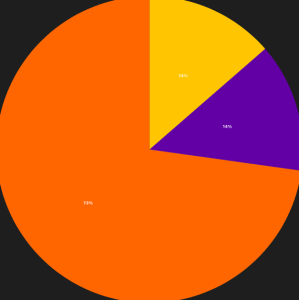
Use Cases: 1:1 Meetings (32% – 49 min), Team Meetings (31% – 47 min), Focus Work (26% – 40 min), MiniMindfulness (10% – 15 min)
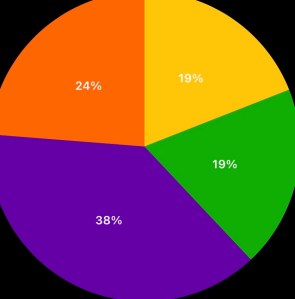
Another trend seems to be a slow start on Mondays. I wasn’t feeling well today, so I avoided too much time in VR. I also had several meetings that were scheduled for Zoom calls, which I was, for once, happy to join via webcam. Still that balance of Focus/Team/Meditation that is becoming a standard pie chart for me.
Cup Half Empty: No major issues today. It’s worth noting that when you don’t feel great VR is just off the table, even for a seasoned veteran like me. Having a backup plan like Zoom will always be necessary. If meetings had been in VR, I could have joined via WebPortal of course.
Cup Half Full: Starting my week with the Project Meeting with my team in VR is always great. And during an afternoon 1:1 I had some fun with a co-worker grabbing a crazy avatar outfit. Meta has made some interesting choices with clothing options. And no, we didn’t take any pictures.
#TLDR
Slow start to Week 7, but if history proves accurate, tomorrow will be an entirely different picture.
Total Time: 16 hours and 16 minutes across 29 sessions in 5 categories.
Focus Time-50% (8 hrs 4 min) increase from 39% last week
Team Meetings-21% (3 hrs 20 min) roughly the same from 22% last week
1:1 Meetings-9% (1 hrs 28 min) big drop from 22% last week
MiniMindfulness-11% (1 hrs and 48 min) slight drop from 13% last week
Community Time-10% (1 hour 35 min) increase from 5% last week
Observations of Week 6 – This was another week where “focus work” took the top spot, which is becoming predictable. The surprise was the large crop in 1:1 meetings. I had several meetings that have been VR in the past move to Zoom for logistical reasons, so that makes a lot of sense.
I failed to keep track of my end of day surveys this week, which is frustrating because there is data there to get if I just remember to do it. I will try and improve on that for the final two weeks of the VR Office Experiment.
Total Time in VR: 3 hours and 40 minutes (across 6 VR sessions)
Use Cases: Focus Time (73% – 2 hours 40 min), Team Meetings (14% – 30 min), MiniMindfulness (14% – 30 min)
Closing out WEEK 6!!! Today was a busier day in VR than I expected it would be. I only had two meetings (one VR and one Zoom), so I decided to get some Focus Work done this morning. I also decided to use the Quest Pro today, mainly as a battery test. My first observation is that while the screen is a little better in Horizon Workrooms, I did not find it so much better that I could see a strong difference. People might disagree. I’m one of those music listeners that can’t tell the difference between good speakers and great speakers (I can tell when they are bad though!). So different eyes would probably have different opinions.
I enjoyed the passthrough desk of the Quest Pro because it is color and high resolution for certain. Also since the bottom of the Quest Pro is open, it’s easier to look down at the keyboard or my phone when needed.
A lot of people ask me how I can work for hours inside the VR Office and many questions are directed at the input device (keyboard specifically). I made this short video today to demonstrate how the passthrough camera works, even when you are in the immersive VR Lake Office. I figure it’s easier to understand when you can see it.
Passthrough Camera with Keyboard and Hands
Cup Half Empty: I’ve saved the battery test for my “half empty section”. I tracked my Quest Pro usage and can say definitively that the batter lasted 2 hours and 9 minutes before dying. I road the battery until the headset shut itself off. That means if you are using a Quest Pro you will need to be plugged into the wall to use if for longer than 2 hours at a time. I haven’t tested the re-charge timing, but managing batteries is certainly not ideal for workplace productivity. With a long cable you can be tethered to the wall without really noticing it, but still it’s not the preferred setup. With my Quest 2 the battery life is similar but I have the option to upgrade battery life with my extended battery head strap (giving me roughly 5 extra hours of time). The design of the Quest Pro is not conducive to the same model.
Cup Half Full: I worked in both my Private Office and my “Workshop” space today, and felt incredibly productive. I used my new neck fan and noise cancelling headphones to really isolate myself in the VR space. While not something I’d recommend doing for a long period of time, it really is a nice lever you can pull in Virtual Reality, that allows you to really focus at the task at hand, and avoid all distractions.
#TLDR
I ended Week 6 with a better day than I expected. Since I’m took some personal time in the afternoon today I actually worked almost 4 out of 5 hours today! That’s pretty wild. I’ve recently started following some people on LinkedIn who do VR 40 hours a week. I think that type of work is good for a small sub-section of the workforce in the current state. I think I could do those types of hours if my Zoom schedule allowed. But we need to find the scalable point. It will most likely be a spectrum, as my manager hypothesized yesterday, while we were pondering a bit during a meeting. It will be cool to see where the curve begins and ends. Two weeks left till the number crunching starts.
Total Time in VR: 4 hours and 8 minutes (across 5 VR sessions)
Use Cases: Focus Work (40% – 1 hour 39 min), Community Time (24% – 1 hour), 1:1 Meetings (12% – 30 min), MiniMindfulness (12% – 30 min), Team Meetings (12% – 29 min)
Today was another good balance between solo work and team work. I hosted another Community Time with my team and we had another “follow the leader” session, but with the locomotion up a notch in speed. I made a hard 180 over and under a bridge and enjoyed the sound of everyone trying to change direction quickly in their swivel chairs!
Cup Half Empty: The “floating cursor” has returned! Several times today the cursor just had a mind of it’s own and I waited for it to stop wandering around my virtual screen. I was also encountering some lag in opening and closing windows. I assumed it was a Workrooms issue, but when I was working outside of VR today I saw the same issue. As a seasoned IT Professional I wisely turned the laptop off and on again, and everything returned to normal. Never under-estimate the power of a reboot!
Cup Half Full: I had a very productive session in my “workshop” this afternoon. I was jumping between multiple whiteboard and editing my sticky notes as I worked on a project that has been searching for a breakthrough. I found that breakthrough today and the visualization tools of Horizon Workrooms were part of what brought the opportunity front and center.
#TLDR
Sold half day in the VR Office. No major issues, and one major breakthrough, as I used Whiteboards more effectively than ever before. Did another test of “VR Team Building” with my crew in Walkabout again, and I’m digging it. One more day to go this week, and it’s a half day, so I will finish as strong as possible.
Total Time in VR: 2 hours and 48 minutes (across 5 VR sessions)
Use Cases: Focus Work (49% – 1 hour 22 min), Community Time (21% – 35 min), 1:1 Meetings (18% – 30 min), Team Meetings (12% – 20 min)
I drove to the remote office this morning. When it was snowing. Probably a silly choice to make, but I enjoy getting out of the house and away from the home office. But what I have found since starting this experiment is that I don’t need the escape as much as I used to need it, because the VR Office has become that “leaving the house” button that I was looking for when my friend offered me a desk and a door. I enjoy the chance to be social over lunch, and the after work happy hour doesn’t hurt either, so I’m sticking with it, just maybe not on snowy mornings!
Slight lower numbers today, but many of my meeting were in Zoom, and even though I have explored joining Zoom calls as my Meta Avatar (using Immersed software), I think that’s still a little too “out there” for some folks in the office. So for Zoom I stick with the webcam.
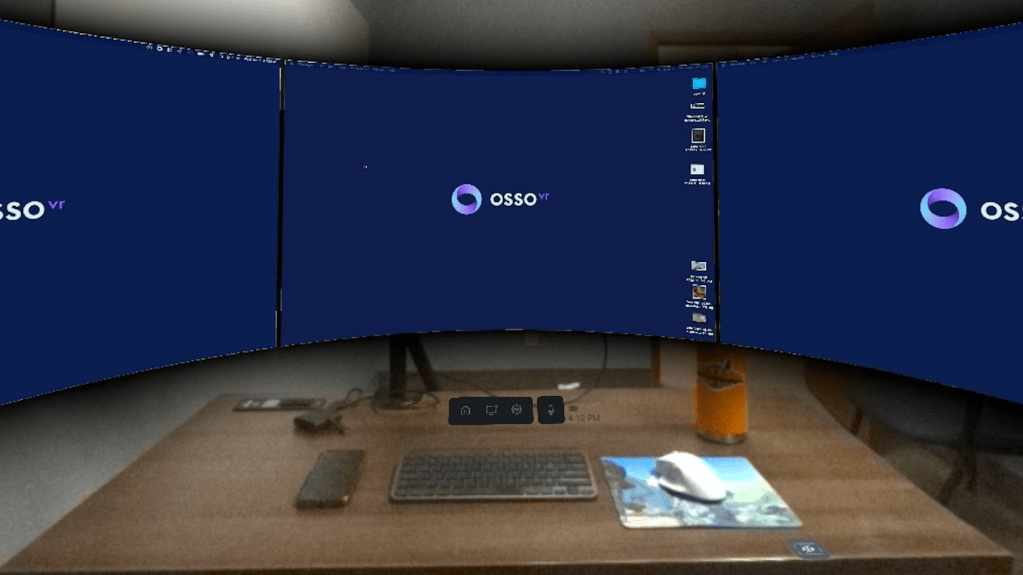
Here’s a short video I made today using the Quest Pro Passthrough cameras. As I enter the workspace the virtual monitors pop up and I can dive right in (after launching the app of course). It’s very cool that with the v37 update we can finally film with the passthrough cameras to make these types of videos! (and, yes, that water bottle has a Walkabout Minigolf sticker on it!)
Remote VR Office Sneak Peek
Cup Half Empty: No red flags today. My Workrooms meetings were very stable, and no avatar freeze. Which makes me wonder if some of my issues are related to home internet bandwidth. I might need to start adding “SpeedTest” data to this experiment. The Remote Office has BLAZING speeds!
Cup Half Full: I hosted Community Time today and only one person showed up. These are the early days of VR Offices and the concept of a VR Campus still seems theoretical to many, so I sit in many empty virtual rooms hoping people show up. The guy who showed up today is one of my favorite people at work! He’s also a big fan of the VR Office, and joins Mini-Mindfulness on a very regular basis. So the chance to play a round of 18 with him was great. We talked about upcoming travel and it felt extremely normal (spoiler: he’s off to Disney next week).
#TLDR
Today I was reminded of how VR for Work isn’t supposed to always feel REVOLUTIONARY. It’s supposed to feel REAL. And today it felt very real. Sure I was playing minigolf in the Arizona dessert, and hosting a morning team stand up without legs (there’s a joke there I’m not gonna touch). But everything felt normal, and how I expect things to feel, regardless of the world being virtual versus physical. When VR fades into the background it’s true power comes forward. Because in the end the most important part of Virtual Reality is the Reality.
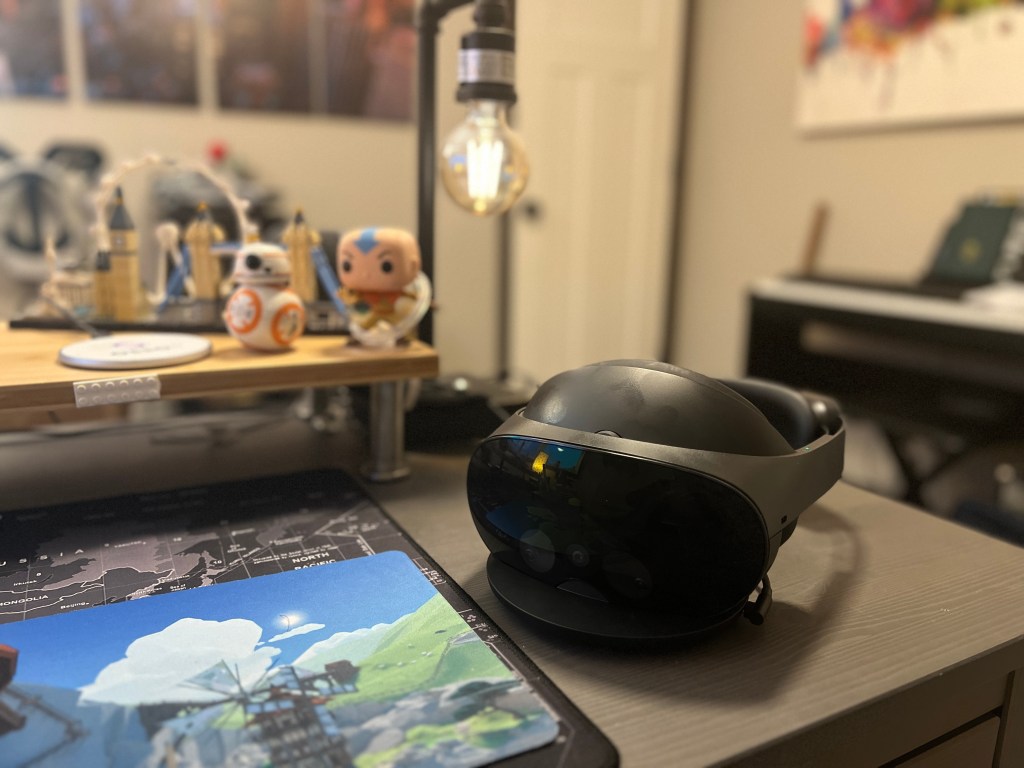
Photo taken with Quest Pro Passthrough Camera (while writing this post)
Day 27 in the Virtual Office
Total Time in VR: 4 hours and 20 minutes (across 6 VR sessions)
Use Cases: Focus Time (55% – 2 hours 22 min), Team Meetings (23% – 1 hour), MiniMindfulness (12% – 30 min), 1:1 Meetings (11% – 27 min)
A decent bounce back after a lackluster Monday start. While I don’t require myself to hit 4 hours a day (50% of my working day), I am trying to make it a goal. I won’t sacrifice work productivity to achieve this goal of course, and I never have to because I have found thus far that VR only makes me more productive, not less.
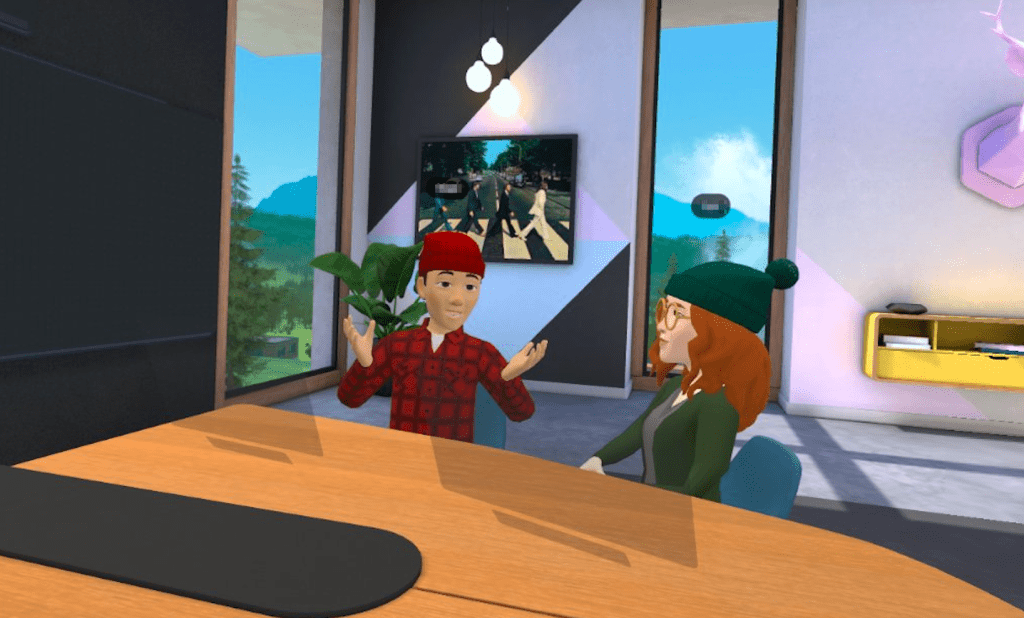
I did half of our weekly All Company All Hands meeting in my private office and then a co-worker who I was slacking with said “let’s jump into VR for the second half” and that’s what we did. It was such an amazing contrast to go from Zoom/Slack Communication to sharing a virtual table with another person, watching in real time, and being able to speak to each other if something in the presentation struck us. Another moment when VR just solidly kicked Zoom to the curb.
Cup Half Empty: Frozen avatars again in my first meeting of the day. It was an hour project meeting and the avatars froze off and on many times. I was also kicked out of Workrooms at one point, but I was in a unique situation when it happened. I was moving from my private office to a virtual conference room, I was casting my computer and didn’t disconnect before jumping rooms, and when I got to the room before trying to re-connect the computer, which had disconnected when I moved, I tried to change the room arrangement. Instead of a new arrangement I found myself kicked all the way out. I’ll admit I caused that as much as anything by trying to do too many things at once. Hopefully in the future Workrooms can handle my fast fingers!
Cup Half Full: I already kind of hit it above. The half full was being in collab for a traditional Zoom meeting. I joined another meeting at the end of the day that I often miss. I was in VR already doing Focus Work, so I added the Zoom call into my right hand screen and decided to watch. I got sucked in due to the topics. And I was conversing with co-workers in Slack on my center screen. I was basically on a Zoom call, but being in VR meant I had massive screens and my distraction free zone of the Lake Office.
Side note: the latest update for the Quest2 and Quest Pro allows for filming via the passthrough cameras. Which is how I took the picture for today’s header! This is HUGE for creating tutorials and reviews of Mixed Reality solutions. Better with the Pro because it’s color, but still good to have it on the Quest 2 as well.
#TLDR
I got back over the 50% mark today. I know my hours will be lower the rest of the week due to a complex schedule, but I keep telling myself that it’s okay to miss those marks. The goal isn’t to prove you can do 50% of your time in VR. The goal (well one of them) is to determine how much time makes sense, is useful, and scalable. I am certain it won’t be 50%. Not yet. But I hope some day that is a low number across the metaverse campuses of the future. But now I’m just dreaming a bit. Gotta keep my “test hat” on firmly. The experiment is still running.
Total Time in VR: 1 hours and 18 minutes (across 2 VR sessions)
Use Cases: Team Meetings (77% – 1 hour), MiniMindfulness (23% – 18 min)
We begin Week 6 with a bit of a whimper. I was solo for MiniMindfulness this morning, But that just meant I got to steal someone else’s favorite meditation spot for the day!
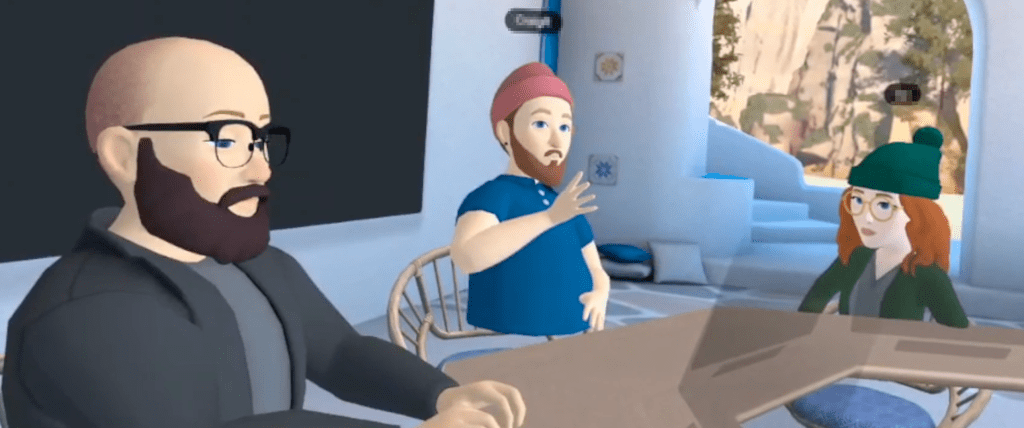
The only other time I spent in VR today was hosting our team’s Book Club. We had a mix of people in VR and on WebPortal inside Workrooms today. It was fun to be able to add body language to a meeting that is usually Zoom based.
Cup Half Empty: We normally record the Zoom Book Club and in a pinch we could not figure out if the Workrooms WebPortal had a recording option. I ended up recording half of the hour long meeting from my 1st person view in the room. Not ideal. I’ll have to look a little closer at the option for screen capture. You definitely need a way to record “mixed reality” meetings like this for those who aren’t in attendance.
Cup Half Full: Same meeting with half empty also had half full. This was my first time hosting Book Club and I was happy to host inside VR. It can’t be overstated that there is something about people turning and looking at you when you talk. Just not something that happens on Zoom. I want more of those types of meeting in my “remote work” life.
#TLDR
Slow start to the week, for a variety of reasons. Some days it just isn’t convenient to put on a headset and work in VR, and that is OKAY! It has to be in order to scale. But I still hope I spend more time on the VR Campus when I’m back at work tomorrow.
Since I decided to start doing my Reviews in the form of videos, I have been overwhelmed on the weekends with video production and editing. I place a great deal of value on work/life balance, and my “volunteer work” with this site on the weekends is cutting deep into my family time. So for weeks 5-8 of the VR Office Experiment, the weekly wrap up will be here in the form of a shorter blog post.
All of this data is mostly for me anyway. Once the experiment wraps in late December, I will be using all of this information to develop guidance around “VR for Productivity in the Workplace”. But I’m thrilled if others find value in these numbers. And it is a good way to hold myself accountable. So here’s the breakdown of this week in the VR Office.
Week 5 – November 28th – December 4th
Total Time: 19 hours and 39 minutes across 29 sessions in 5 categories.
Focus Time-39% (7 hrs 36 min)
Team Meetings-22% (4 hrs 19 min)
1:1 Meetings-22% (4 hrs 15 min)
MiniMindfulness-13% (2 hrs and 28 min)
Community Time-5% (59 min)
Observations of Week 5 – My total time lowered again this week, but it’s still right around the 50% mark that has been my rough target all along. The top categories continue to be Focus, Team Meeting, and 1:1 Meetings. I didn’t do anything out of the ordinary this week, so these 5 categories feel like the “standard pack” that I should see at a bare minimum.
I continued to have some minor issues with bugs in Workrooms, but nothing that I’m too worried about. I also had a “glass shattering ” moment this week when I moved between social VR and solo VR. The dramatic shift is something to think about as this type of solution scales, especially for people new to virtual reality. On to Week 6!
Total Time in VR: 2 hours and 37 minutes (across 4 VR sessions)
Use Cases: Team Meetings (38% – 1 hour), Focus Work (24% – 37 min), 1:1 Meetings (29 min), MiniMindfulness (19% – 30 min)
I started out today chatting with some co-workers about survey data that can lead to valuable metrics, as we continue our evaluation of VR as an office tool. It’s very important to not just gather qualitative data (how much did you like it?), but to also gather quantitative data (metrics driven by numbers!) I continue to use my working draft of a daily survey, but it will morph a little over the weekend into a better tool for Week 6. I am lucky to have people around me who share my vision. It’s a hard vision because it is not blind enthusiasm, nor is it biting skepticism. I believe we are approaching the “Metaverse Office” with a realism at the center. Figuring out how this tool can enhance our work, but making sure that regardless of how “cool” it is, the tool does not distract us from the real priorities. I think we’re on a good path.
Cup Half Empty: Frozen Avatars! During my first meeting today the two avatars in the room kept freezing. Sometimes for a couple seconds; sometimes for a couple minutes. It was pretty distracting for me. Thankfully it didn’t seem to be something impacting them, which leads me to wonder if the issue is headset based or WI-FI based. I might need to consider to designed experiments to test that theory in the future. Otherwise, the day was pretty bug free.
Cup Half Full: I spent less time in VR today, but the time I spent was a nice balance of solo, 1:1 and team meetings. It’s making me wonder more about the max amount of time the platform. Are half days realistic? I know I can handle those types of hours, but I am thinking beyond early adopters and beta testers. There is a number, and time will hopefully bring it into focus.
#TLDR
A shorter day in VR shows me that balance between use cases makes the day feel… well… balanced! I didn’t experience as many issues with bugs (of course less time in VR means less chances for bugs to reveal themselves). I feel pretty good with the week, after being away from the VR Office last week, and I’m excited to keep thing going in Week 6.
Watch for the Week 5 Weekly Wrap up this Sunday. Hopefully there will be another video posting Saturday evening as well, but it’s an ambitious thing I’m trying to do, and I’m a little nervous about how it’s going to go. Fingers crossed!
Total Time in VR: 5 hours and 37 minutes (across 7 VR sessions)
Use Cases: Focus Work (50% – 2 hours 48 min), Team Meetings (24% – 1 hour 19 min), Community Time (18% – 1 hour), MiniMindfulness (9% – 29 min)
I did not expect to spend so much time in Focus today, after the shock yesterday from going in and out of 1:1 meetings and Focus. But I had less meetings today, and since this experiment is intended to push the pedal as far as it can go, when the opportunity arises, I took that chance and jumped into Focus whenever I could today. And it was good today. I didn’t feel that same emptiness from yesterday. I think it might be because yesterday I was having great conversations one-on-one, and then I was alone for a while. The “working alone” part isn’t the issue, it’s the hard shift from social to solitude, at least that’s my best guess for the moment.
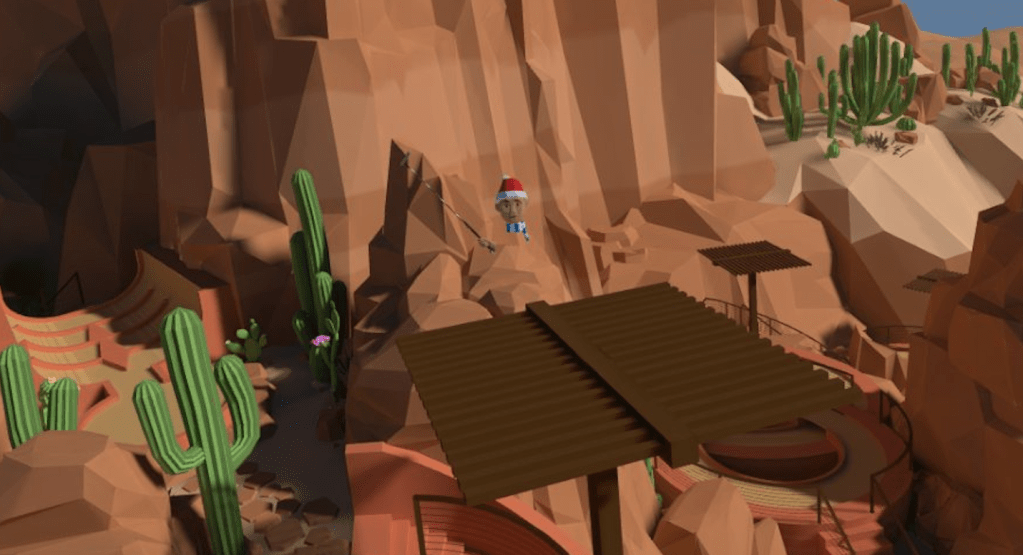
I got to do Community Time today with my whole team, and I proposed a “team building exercise”. We went into Walkabout Minigolf and set our Locomotion to 2.0 (some of the team are getting used to flying in VR). Then we lined up out in the water around Welcome Island and took off like a little train, following the lead of the person in front. I’ve read that when you do things in unison (flash mobs come to mind) it causes a bonding element. I was at the back of the train as we approached the large pirate ship. I shouted “let’s jump it!” The person in the lead rose out of the water and appeared to be jumping just the “boat” portion. I shouted “all the way over the highest mast!!!” and responding to the leader, all of us shifted into an almost vertical climb high into the sky. As we crossed the top mast, I shouted “back to the water!!” and we descended again in a straight line down to the water below. It was thrilling. We were in that moment TOGETHER. I can remember it right now almost 12 hours later, as if it’s still happening. And that is powerful. That is team building on a whole new level, and I was thrilled with how it went. Hopefully as our tolerance for “flying in VR” increases, so will our speeds (it goes up to 5.0).
**if you try this experiment yourself with friends or colleagues, it is crucial to have everyone in a spinning chair. The key to reducing motion sickness is to do all the turning physically, not using the controller as the mechanism. In minigolf, you just hold the putter straight in front of you and steer with you body. And the body is tricked and motion sickness reduces.
Cup Half Empty: Not too much to complain about today. I was kicked out of Workrooms once today, back to the main menu. We had a Workrooms update a couple days ago that appears to be a “bug fix update”, so maybe they still have a few bugs to swat. I had a meeting in the afternoon with one person joining me in VR and another joining via the Web Portal. On Web Portal, he mentioned that he was seeing some white flashes in the Portal that made it hard for him to focus on the screen. It could be a hardware thing on his end, or it could be a software thing. I will make sure to take note of any times I hear that feedback in the future. I’ve had TONS of people join via the Web Portal over the past year (which is how long I’ve been using Workrooms), and I’ve never heard this issue before. The Web Portal is crucial though, as we want to make sure that VR isn’t a requirement to join virtual meetings. That’s how you scale it across the spectrum and create a little FOMO along the way.
Cup Half Full: I’ve already hit the biggest half full thing today, the Community Time Pirate Ship Jump. I wish I’d taken a picture, but I couldn’t as I was truly living in the moment. VR felt so much better today than yesterday. One of my questions on my daily VR Survey is “How excited are you to do VR tomorrow?” and my score was low yesterday. But I’m committed to this experiment, so I didn’t let a lack of enthusiasm stop me. I’m glad I didn’t because today I had the same energy that I had at the beginning of this thing. And an idea I had about building team bonds through unison VR flight proved to be pretty cool.
#TLDR
The wind is back in the sails as I approach the weekend. I didn’t let a rough day of VR yesterday stop me from going ALL IN with my Focus Time today. I have some ambitious plans for my VR filming sessions this weekend, so I need to keep the energy up!












 Carrier Pigeon XR