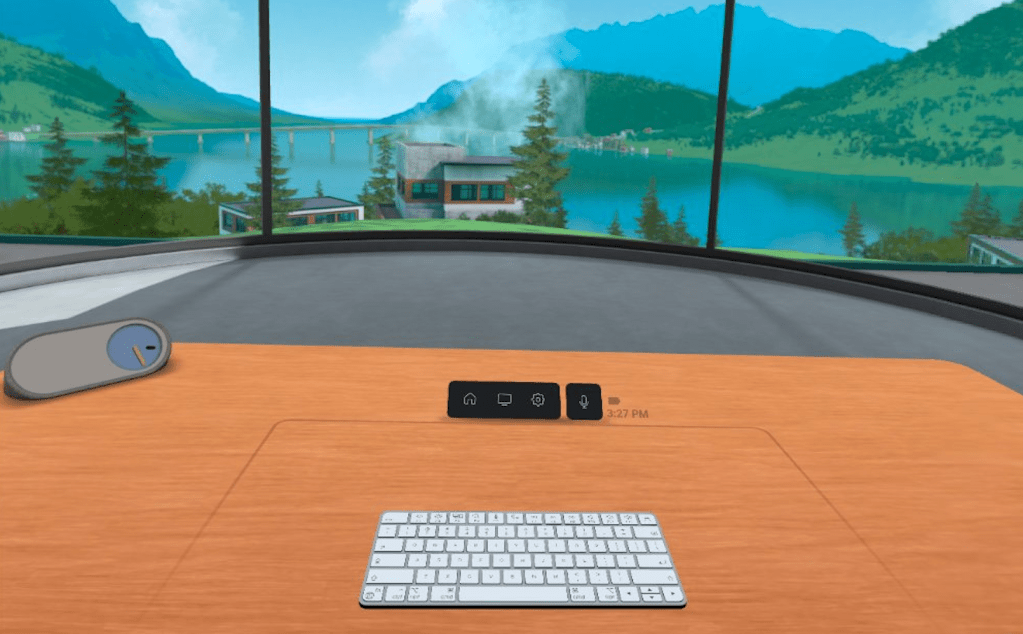
My VR Office Experiment: Day 23

Day 23 in the Virtual Office!

Total Time in VR: 4 hours and 28 minutes (across 6 VR sessions)

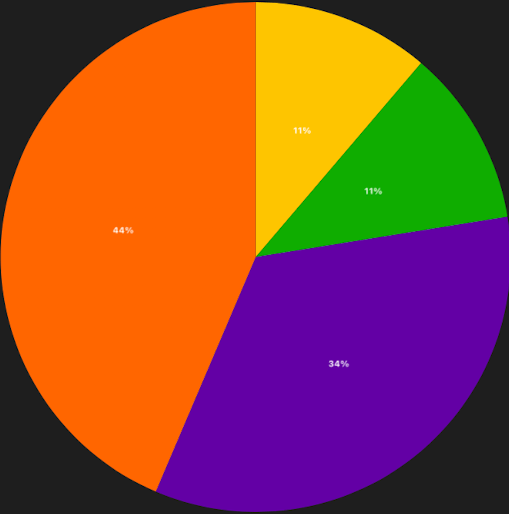
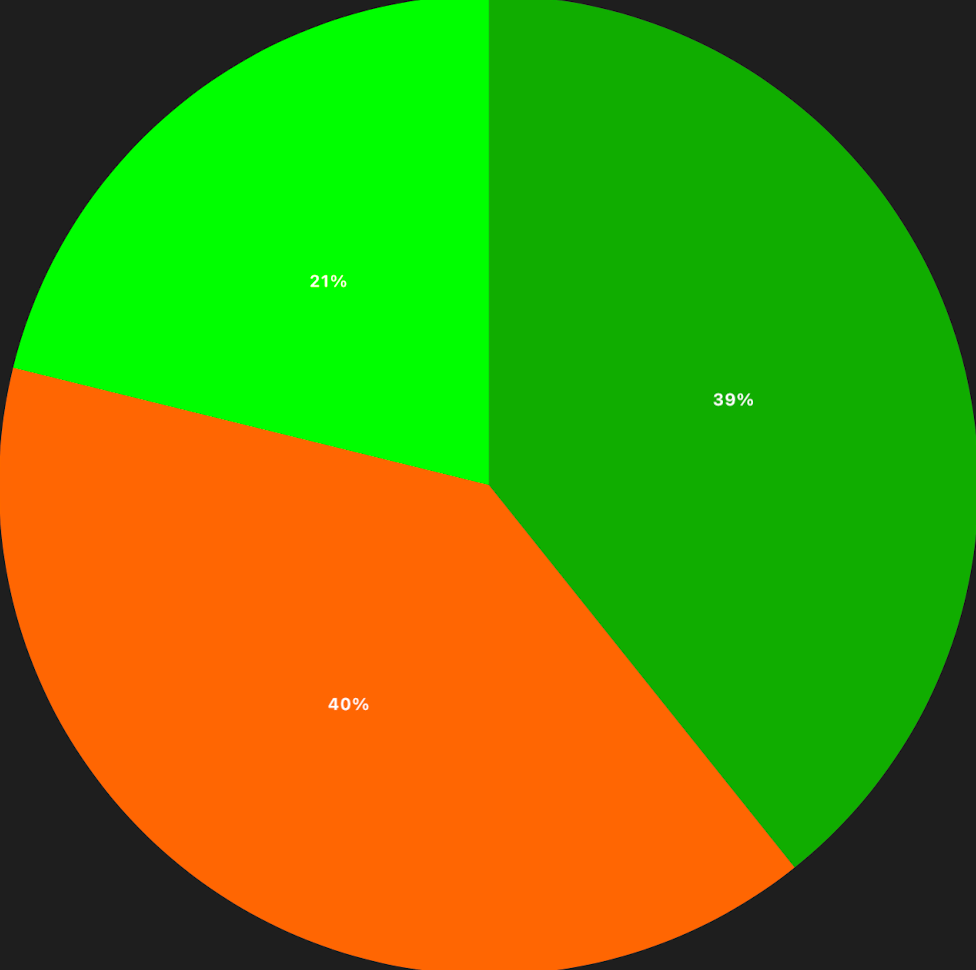
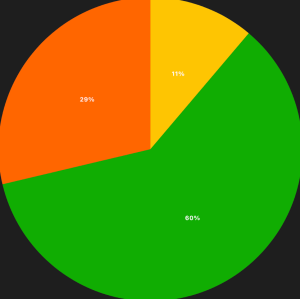
Use Cases: 1:1 Meetings (60% – 2 hours 41 min), Focus Time (29% – 1 hour 16 min), MiniMindfulness (11% – 30 min)
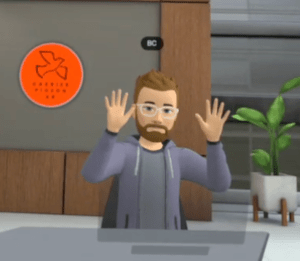
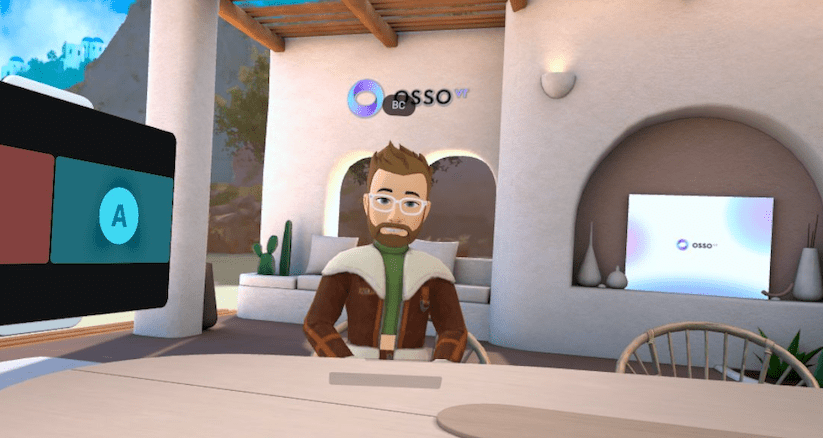
Today I spent a lot of time in 1:1 Meetings. I do monthly development meetings with my team and today was the day. While we often do those on Zoom (gotta see the faces!), lately we’ve done them in Workrooms, where we do pretty much all of our other meetings already.

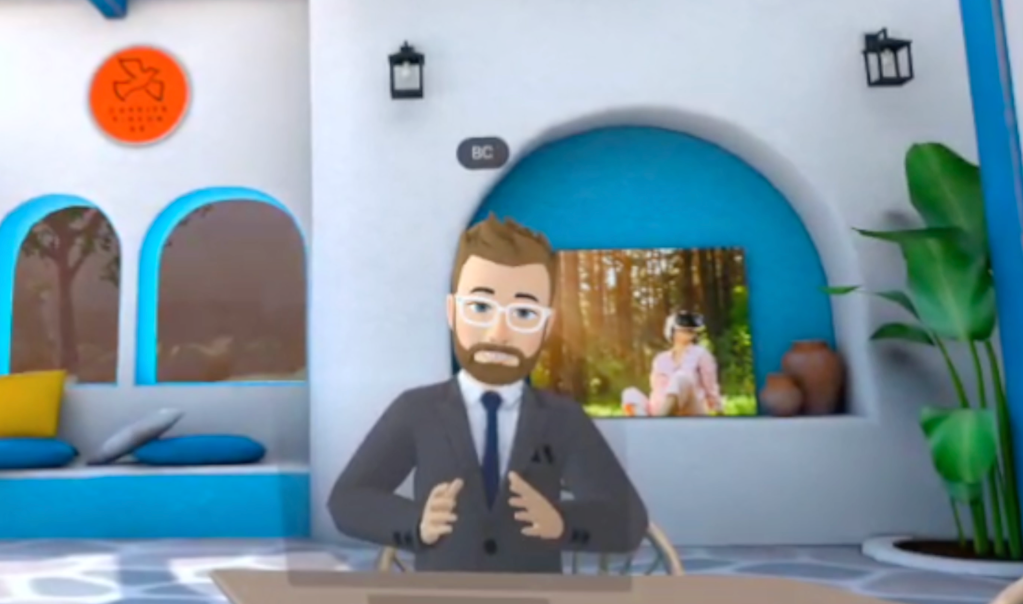
It was great to spend that face-to-face time with each of them. Every time we do this activity it reminds me how powerful VR is for building connections; for building relationships. I care about my team, and I would even if all we did was Zoom. But there’s an element that is added when you spend time in “virtual proximity” to one another that is hard to explain, but you know it when you feel it.

At the same time, the solo sessions in between my 1:1 meetings felt very hollow today. I even jumped on my Sprinter page to rattle off a 15 minute stream of consciousness that I will not burden anyone by sharing. In the writing, I talked myself into understanding that I was feeling the same feelings I would if I was with people in a physical space and then was suddenly completely alone. It’s jarring. My brain didn’t like it. But there’s more to explore to figure out how to find balance, or how to reset expectations of how a VR Office Space might function.

Cup Half Empty: I started tracking each time VR got in the way of my productivity today (and I track it in the daily survey too). During my first 1:1 this morning I was totally booted out of Workrooms. Like all the way to the Landing Page with my apps. I sent a quick Slack to say I was coming back, and after a minute I was back in the room, but it had derailed the convo for a bit. Apparently I just appeared grey with “connecting” over my head the whole time I was gone, but it took us a few minutes to get back on track. I was worried that would happen in all of my meetings today, but it did not. In one meeting the avatar froze a couple times, but it seemed to un-freeze after a few minutes. That was a little jarring, but I could see past it in a way that other users probably would not. So avatar freeze remains a worry for me when thinking about scaling the solution.

Cup Half Full: Despite those jarring moments, the majority of the time in my face-to-face meetings today was awesome. I know my team by their avatars almost better than their real faces (and the same goes for my avatar with them)! I was excited to spend so much time in conversation today. My largest category is usually Focus Time, which is great but solo, and collab is where the best experiences will be found.

#TLDR

I had a much busier day in VR today because of many scheduled 1:1 meetings. I was surprised by the jarring difference between being in collab VR and suddenly being in solo VR. I really want to think more about how that hard shift plays with the brain a bit more than I expected. The issues of avatar freeze are becoming a bit of a trend, so it’s good I’m tracking those things in my daily survey. All in all, this was a good day in the VR Office!

Till Tomorrow…
BC

My VR Office Experiment: Day 22

Day 22 in the Virtual Office

Total Time in VR: 2 hours and 29 minutes (across 5 VR sessions)

Use Cases: Focus Work (38% – 56 min), 1:1 Meetings (23% – 33 min), Team Meetings (20% – 29 min), MiniMindfulness (20% – 29 min)

Winter came today, and with it a dip in my VR time. One thing that VR will never fix is tough winter driving (until we all live in the metaverse…which sounds awful actually.)

The four categories for today are becoming a solid trend. I use VR for solo work and meetings with individuals and teams (and meditation). These are metrics I expected, but it will be interesting to see how the numbers look at the end of the experiment. I did a lot of “HR Work” today in VR, which made something that might seem tedious at times more enjoyable. I think that’s one of the levers of the VR Office to really consider. What activities might you enjoy more just because you’re in VR when you do them?? I definitely enjoy my 1:1 discussions and my morning stand up meetings with my team more in VR then I would on Zoom. I’d probably like them even more in person, but as I work for a fully remote company that’s not really an option.

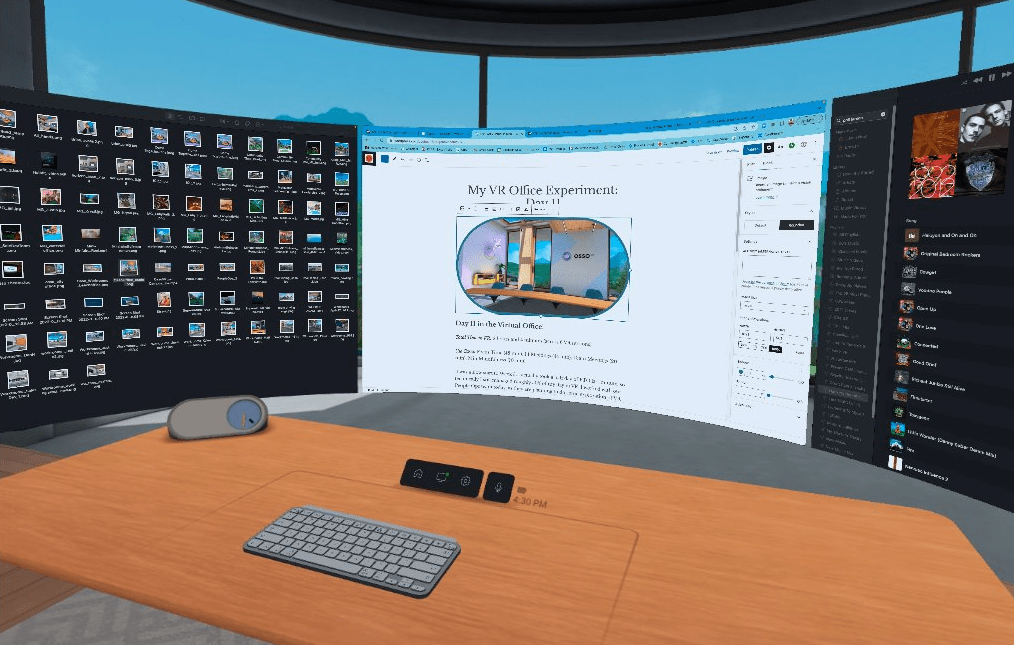
Cup Half Empty: Everything went pretty smoothly today. I did some testing of PC Monitors in Workrooms and confirmed that PCs are limited in a way that Mac computers are not, at least for now. To create multiple monitors in the Private Office with a PC you must have that many physical screens running at the same time. My testing was with an open laptop and monitor. That config gave me dual screens in the VR Office. There is a note that updates are coming to add Virtual Monitors to PCs. With my Macbook hooked up, I can create 3 virtual monitors (big ones!) with one 13 inch screen, and the laptop doesn’t even need to be opened!

I’ll keep grumbling about the keyboard issues. My Logitech MX Keyboard failed to map at all today.

Cup Half Full: This afternoon I had a toothache. I’ve always been fascinated with “VR for pain therapy”, and so instead of taking some pain meds I decided to use VR. I immersed myself in my full rig: Face Cover with Fan, Noise Cancelling Airpods, and Neck Fan. I basically did everything I could do to disassociate myself from my physical environment. Then I started some music and got to work. And I forgot about the tooth. Yep. The brain can be tricked, if you have the right tools. I’m not saying it would always work, but it did today.

I actually did a similar test after knee surgery a while back. Instead of taking all of the opioids I’d been prescribed, I used Walkabout Minigolf, and would fly around the courses having a blast, thoroughly distracted from the pain of my knee. And I only took half the pills that I had been given. Something worth pondering…

#TLDR

The return to full speed continued today. I felt productive doing tasks that I might have drug my feet on if I was just staring at my screen. I had several face-to-face meeting in VR that wouldn’t have been as fun if I was just staring at my screen. I even used VR to manage some low-level pain. That’s a positive impact I hadn’t even considered when I started the VR Office Experiment. What else might come up in the weeks ahead!?!

Till Tomorrow…

BC

My VR Office Experiment: Day 21

Day 21 in the Virtual Office! We’re back!!

Total Time in VR: 4 hours and 27 minutes (across 7 VR sessions)`

Use Cases: Focus Work (44% – 1 hour 56 min), Team Meetings (34% – 1 hour 30 min), 1:1 Meetings (11% – 30 min), MiniMindfulness (11% – 30 min)

After a full 7 days of downtime, I am back in the VR Office to start up the second half of the VR Office Experiment. Four more weeks of daily tracking and nightly posts! So here we go!

I was a little hesitant this morning as I was setting up the office this morning. While I did some VR last week, I didn’t do any “VR for Productivity” stuff. So it really did feel like “going back to the office”. After starting the day in the usual minigolf meditation session, I found myself on Zooms again for a while. Then I needed more screen space to multitask, and I knew the best place for lots of screens was the VR Office. So I moved to Workrooms and stayed on the Zoom from inside VR. After starting with two monitors in VR, I found I needed more space, and added in the third monitor (which can only be done on Mac computer at this point). Once my full screen array was in front of me I was flying again!

It’s worth noting, I intentionally have not hooked up monitors in my home office. I want my only option for “big screens” to be in VR. I find it interesting that I am “forcing myself” to use VR in this instance. I’ll have to keep my eye on that, and maybe bring the monitors back eventually to see how much I “choose VR” over the monitors that are already there in the physical space.

Cup Half Empty: During a team meeting in Workrooms today all the avatars froze again. They were still talking and everyone but me could see movement. I hopped into my Personal Office and back and it reset the avatars. It’s annoying to say the least. Also one of the people on my team was kicked all the way out of Workrooms during that same meeting. Strong Wifi, decent battery life… So no idea why it happened. He re-joined without issue.

I want to speak briefly about the “issue with keyboards” in Horizon Workrooms. I have a co-worker who wants to explore the VR Office but she doesn’t have a keyboard that is mapped, and even with passthrough desk view it is very hard to read the keys. Even my mapped Logitech MX Keyboard and Apple Magic Keyboard will fail to map quite often. This is a very big problem that needs to be addressed. I am a “touch typer“. I was taught typing in a way that means I don’t have to look down, ever. I just feel out “F and J” (they have the bump on them) and I know I’m on the “home row” and I can type like a maniac without looking down. But many people don’t type that way. Even if they do, not being able to look down for those tricky characters like “$ or *” is a dealbreaker for many. I think that fixing the issue with keyboards is one of the most important things that Meta should be looking at with Workrooms. It doesn’t matter if new avatars roll out, or the space becomes more functional. If the input device is glitchy, it is dead on arrival in terms of scaling the solution, IMO.

Cup Half Full: How do I do glass half full after that keyboard tirade? Despite the issues I mentioned, today was a good day in VR. The idea of “returning to the office” felt pretty good, but only after I was back in VR working. I think it’s okay to not be thrilled about going back to the VR Office as much as the physical office after a long holiday weekend. If anything, it means the VR space is being normalized in my mind. It’s no cooler than the physical office, just more useful (at least for me).

I also added a neck fan that I got on Black Friday. It’s noisy, so I partner it with noise cancelling Airpods, and only use it in Focus work. I tested it in a 1:1 meeting and on it’s lowest setting it can’t be heard in VR (on medium and high it is loud enough to invade the virtual space). I like having this cooling option to partner with my face cover fan. Still, it’s more peripherals and is starting to make me think of my VR setup like the original Game Boy when optimized for light, sound, and magnification.

#TLDR

It feels good to be getting the VR Office Experiment going again after the holiday break! It also feels a little daunting, as this means tracking all my VR time throughout the week and posting about it every night. And then doing videos on the weekend. I definitely will change my schedule after the Experiment is over, but I’m committed to sticking with my plan.

To that point, I did begin using a daily survey today. It’s pretty boring at the moment, but hopefully something I can show off during the Week 5 Wrap Up Video this weekend! I’m tracking straight usage, productivity, and feelings across roughly 10 survey questions. More to come!

Till Tomorrow…

BC

My VR Office Experiment: Week 4 Wrap-Up

Week FOUR clocked in at 18 hours and 43 minutes across 36 VR sessions! Check out the video for the breakdown.

Week 4 Wrap Up Video

NOTE: I’m off next week, but returning November 28th with 4 more weeks of daily posts for the VR Office Experiment!

Happy Thanksgiving, to folks here in the United States!

Till Next Week…

BC

Mini-Mindfulness Video

This week marked the 6 month anniversary of Mini-Mindfulness. These are 10 minute meditation sessions I do every weekday morning before my work day begins. I’ve been lucky to have a couple co-workers join me the majority of the time (and they sometimes go without me when I have a conflict), and I am so grateful!

Working as a remote worker means a lot of “working alone in your office”, but with a tool like Mini-Mindfulness, I have been able to have a consistent start to my day, which I am confident increases my productivity, while it also improves my mental health!

You don’t need a formal Meditation App (though there are a few solid choices if you are okay with solo sessions). Thinking creatively we turned a mini-golf game into an oasis for starting the day mindfully! Our favorite locations at the moment are Quixote Valley, El Dorado, and 20K Leagues Under the Sea. Give it a try!

Disclaimer: it’s worth noting that in August 2022 the makers of Walkabout Minigolf (Mighty Coconut) introduced a partnership with Lumenkind, also called “Mini-Mindfulness”. We are okay sharing the name with them. 🙂

The crazy thing about this video is that I shot it in the evening with my wife and kiddo (instead of asking my co-workers to take evening time to film with me). My wife used my avatar. My kiddo used a generic avatar (because she didn’t want to “be on camera”). Kind of wild the tools that VR gives us for producing these types of videos. The camera was just me “flying around”.

Till Tomorrow…

BC (Walkabout Avatar)

My VR Office Experiment: Day 20

Day 20 in the Virtual Office! Half Way Point!!

Total Time in VR: 2 hours and 32 minutes (across 4 VR sessions)

Use Cases: Focus Time (1 hour 19 min), 1:1 Meetings (1 hour), Evening Work (32 min)

Today marks the half way point for the VR Office Experiment. As with most Fridays, today was a very light day in VR, and that is okay. When I have lower VR days I have to keep reminding myself that I am trying to test out a realistic use of virtual reality for work. Some days VR isn’t the default. Some days if I forced VR into my work day I would be working against my own goals. Being a known VR Enthusiast, it is sometimes hard for me to convince people I am unbiased. But it’s my enthusiasm that is forcing me to stay as neutral as possible. There are plenty of VR fanatics putting their fingers on the scale in favor of VR’s viability for work (or the opposite). I think I’m holding a good balance half way through my experiment.

Cup Half Empty: I didn’t run into any major issues today, mainly because my usage was pretty low, and much of the time I spent in VR was just conversation. The cursor can’t go crazy if you aren’t using it that much (as I type this in VR, I’m just waiting for the cursor to go crazy, which would make me laugh). The fourth week saw the first sustained negative trends with the tech getting in the way of work once in a while. That needs to stop in the second half, or scaling this tech in it’s current form will be challenging, if not impossible.

Cup Half Full: I had one 1:1 meeting today that was going to move to Zoom so we could record it, but I didn’t want to do Zoom to start my Friday. Plus this co-worker is a BLAST to hang out with in VR. Not because of VR specifically, as I’m certain she is a BLAST to hang out with in the non-VR world as well! It was great to have that solid reminder today of how VR brings us together the same way it would if we worked in the same office. Because when we are in VR, we ARE in the same office!

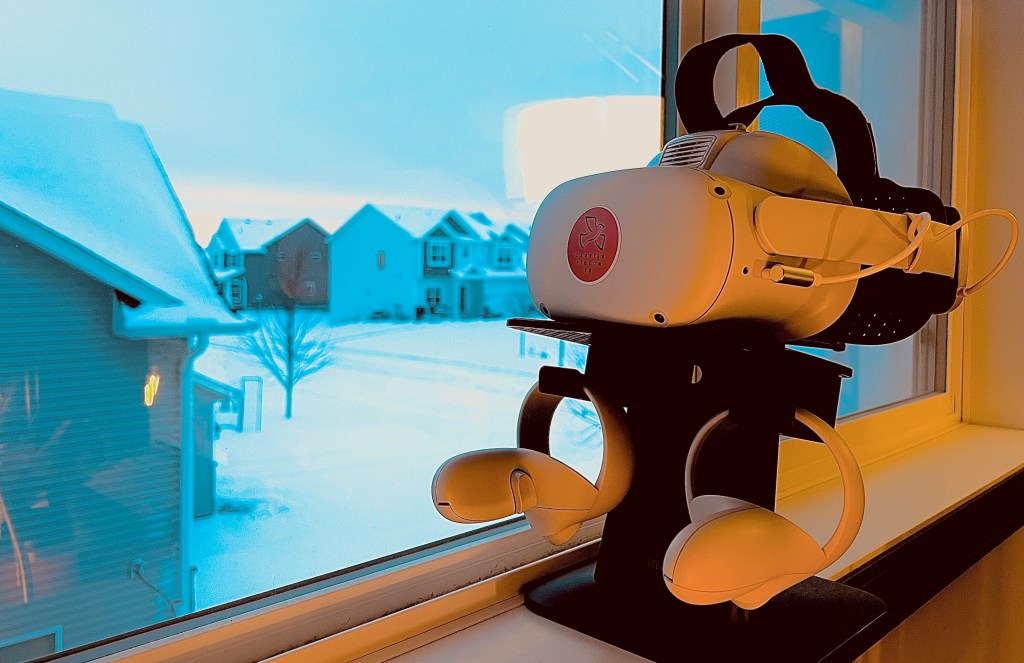
Week 1 – Autumn
Week 4 – WINTER!!!

#TLDR

What a wild four weeks. The difference out my window is stark! I think this first half proved out a few things like the possibility of longer term use in VR (with properly upgraded accessories), and that VR can be used for a wide range of meeting types. In the second half I want to focus on measurement tools. My daily numbers will prove valuable during my “data analysis phase” in January, but I need more data about the day to day experience (good and bad). So those surveys will appear in posts after the holiday week.

I started this blog to track my progress for myself. I chose to be more public about it, as I have many friends in the “VR community”. Thank you to the many of you who have chosen to read these posts and watch the videos. It means a lot to me that others find value in what I’m doing. I’ll be off next week (after the Week 4 Wrap Video on Sunday). Back with “Day 21” on November 28th.

Last note: I have a fun video going live tomorrow, so watch out for that one.

Till Tomorrow…

BC

My VR Office Experiment: Day 18

Day 18 in the Virtual Office

Total Time in VR: 4 hours and 55 minutes (across 10 VR sessions)

Use Cases: Focus Time (1 hour 27 min), 1:1 Meetings (1 hour 3 min), Community Time (59 min), OssoVR Platform (32 min), MiniMindfulness (34 min), Evening Work (19 min)

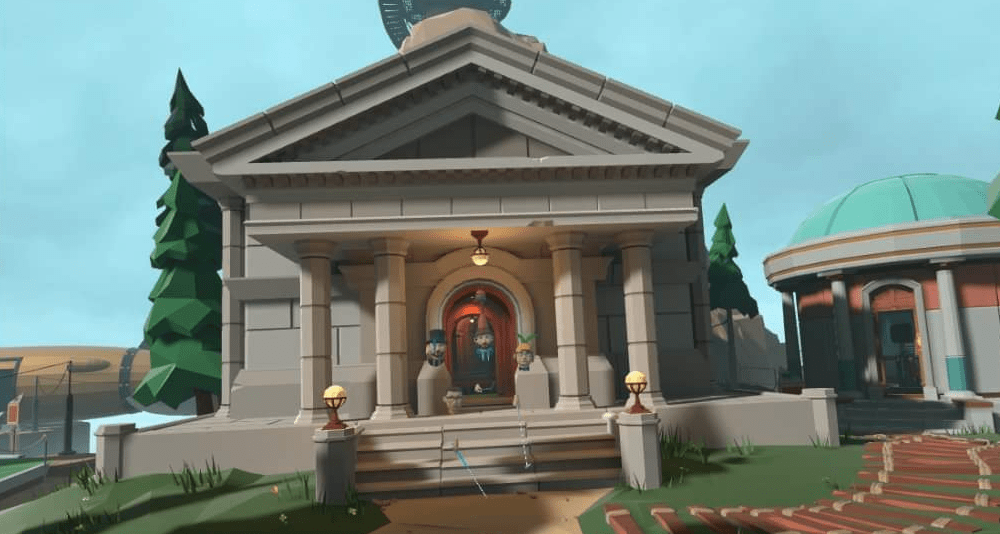
Today’s banner pic highlights our weekly Community Time at OssoVR, on the new Myst course!! It’s been a while since I’ve done the full hour and with a group of 5 (who all gave permission to share photos). While this VR Office Experiment is mostly about the productivity to be found in focus work and collaborative team work, the value of building community at a remote company shouldn’t be minimized. Without such tools, burnout and turnover are much more likely. Productivity relies on good mental health.

Today was a very balanced day in VR. I spent similar amounts of time in Focus Time, 1:1 Meetings, and Community Time. That balance meant that I got a bunch of solo work done, I got collaborative work done, and I had some social time with my remote co-workers. On top of that I spent some time in the OssoVR platform helping assist with another surgical training promo video, AND the day started in MiniMindfulness where I wasn’t alone for the first time this week (and we had our session on the brand new Myst course!)

Cup Half Empty: The issues of latency continue. Screens lag a little in Workrooms. The cursor problem also continues. I find that I just have to let the cursor run around for a bit on it’s own, and when it stops I can keep going. If I try to start clicking to stop it, that only makes it worse. Sound was also a little choppy/sped up when the cursor went crazy. That’s DAY 2 of those issues, and not a good thing at all.

Cup Half Full: I had several good connections in VR today, and what is interesting is I was paying close attention to my 1:1 Zoom calls today compared to VR. The simple answer is “VR is better”. I am going to try and give a solid reason that isn’t just a “in my experience” type answer, but that won’t come until I can tabulate my data. Community Time was with a larger group than normal, and on a brand new course. So there was lots of new discovery as a group, and a bit of goofing around, which is sometimes exactly what a Wednesday calls for!

#TLDR

The hours increased today, but this experiment isn’t just about the hours. The hours need to be productive, and today I can clearly say that I was more productive in VR during all of those hours. The massive monitors that are often minimized in tech reviews, truly make things easier for me. All of the important screens are just a glance away. Clicks are minimized. Window management is drastically reduced. That saves me time, and keeps me in FLOW state. Today was a good day to work in virtual reality!

Till Tomorrow…

BC (with a bird hat from Labyrinth Course)

My VR Office Experiment: Day 17

Day 17 in the Virtual Office!

Total Time in VR: 3 hours and 4 minutes (across 9 VR sessions)

Use Cases: Focus Time (1 hour 29 min), Team Meetings (1 hour 20 min), MiniMindfulness (15 min)

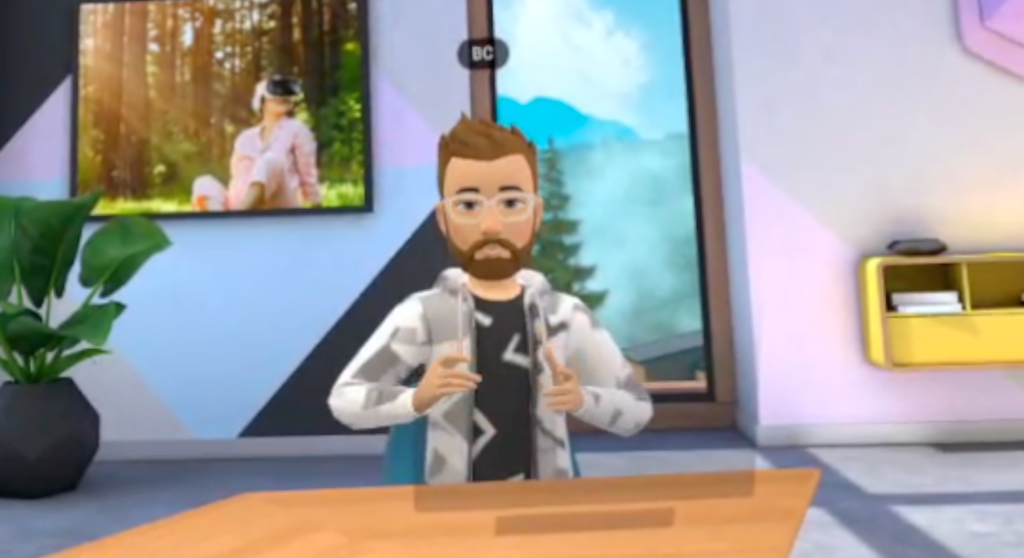
Just like the real world, I think it’s important to wear different clothes every day in the Virtual Office. Unfortunately I was a little hasty in selecting this morning and ended up wearing a crop top to my morning stand up. Meta really needs to work on the wardrobe options, and give more “real world” outfits because some of them are just bonkers right now. Fun? Sure. But not things you would ever wear to the office.

Today was a return to normal in the VR Office. I ran with the rule that if I could be in VR I would be in VR. So a couple Zooms were still required, but for the most part I stayed in VR today. That meant watching a few Zoom calls from inside VR too (with my camera turned off, since my laptop isn’t anywhere near me). I very much prefer the VR office to the passthrough office as it gives me a sense of being “somewhere else”.

Cup Half Empty: I flagged a couple things today that were frustrating. First, inside the VR Office I would occassionaly get the “loading hum” that you hear when you are moving between spaces in Workrooms. But the hum wouldn’t stop. My only option was to close out of Workrooms and re-enter the application. Not ideal. It seemed to happen if I moved out of my desk boundary briefly. The sound starting makes sense, but when I returned to the desk it should turn off.

I also had noticeable lag with the cursor. And sometimes the cursor would just start moving on it’s own! Also since I was playing Apple Music while working, the sound became choppy and would speed up oddly when this latency problem occurred. Hopefully this doesn’t become a trend.

Cup Half Full: It was great to have a full day back in the original VR Office downstairs. I used the isolation of the VR Office to do lots of Focus work today and attend meetings where I only needed to listen. I started my day in Mini-Mindfulness alone, but I again used the Calm app for a guided meditation and I really enjoyed that.

#TLDR

The fourth week is in full swing! I have lots of dedicated VR time planned this week, so I’m paying close attention to my productivity in VR. I expect an upswing there, but only time and good tracking of that time, will tell.

I can’t end my post without noting that a new Walkabout Minigolf course released today! The Myst Course is now available via DLC pack. I played a quick round over my lunch hour today, and it is WILD. Lots of triggering objects and borderline puzzles to solve to get good scores. Definitely worth the $3 charge. Check it out!!

Till Tomorrow…
BC

My VR Office Experiment: Day 16

Day 16 in the Virtual Office!

Total Time in VR: 1 Hour and 27 Minutes (across 2 VR sessions)

Use Cases: Team Meeting (57 min), 1:1 Meeting (29 min)

I debated skipping today entirely, but I like streaks, so I wanted to put something down. I did use my headset twice today. I had a personal day from the office, and so I didn’t use VR much at all.

I did meet with my team for our regular weekly Project meeting and that was good. I always like being face-to-face with my team as we discuss the many things we have going on. I also met with my manager towards the end of the day, just to catch up and chat. Again, VR beats Zoom and Slack any day of the week when you want to really connect with someone, and I’ll shout that from the mountaintops.

My banner photo today is from one of my favorite places, “Welcome Island” in Walkabout Minigolf. When I need to re-charge this is one of the places I virtually run to and find friends to hang out with and have some fun.

Cup Half Empty: Rough start to the week, but this personal day was planned, so it’s nothing I’m concerned about. I want to come in hard tomorrow though, to break that plateau that started in Week 3.

Cup Half Full: I needed some people connection today, and VR made that happen. Sometimes it’s not about the game, but about the connection, and that was true for me today for sure.

#TLDR

Basically a lost day for the VR Office Experiment, but VR still played a role in some of the better parts of my day. Tomorrow Week 4 really begins.

Till Tomorrow…

BC