VROffice Reviews:Let’s Talk about Avatars

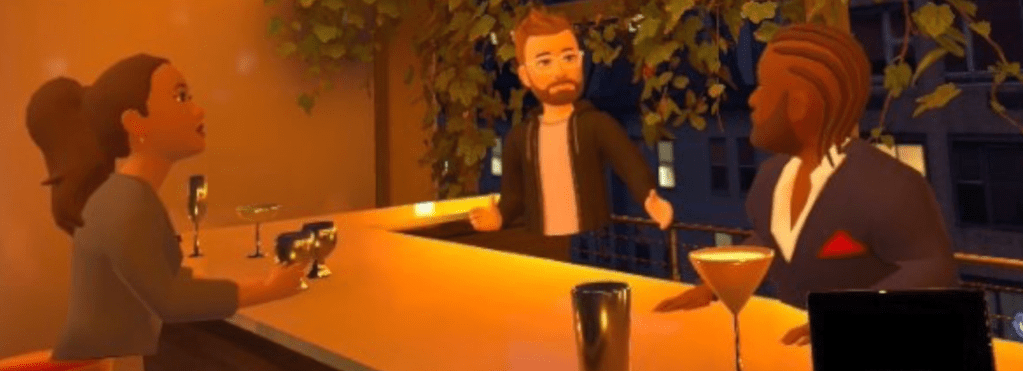
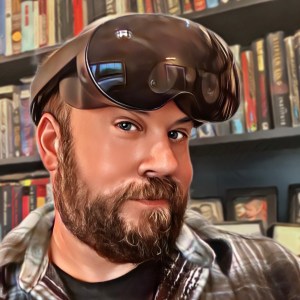
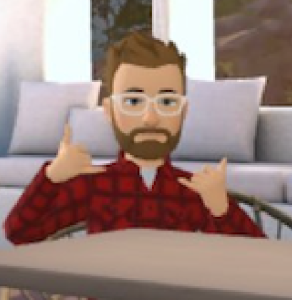
One of the most important and highly debated areas of the metaverse is avatar design. So this week I put together a short video to discuss my take on Avatars. Instead of trying to speak to everything that is going on with Avatar design, I’m focusing on the Avatars I have used during the VR Office Experiment, as well as looking at several of my other avatar from the past few years.

I am a proponent of simplicity in design, at least for now. One day avatars will be much more advanced, but I believe that they don’t need to be more advanced to be very useful, right now.

Till Tomorrow…

BC

My VR Office Experiment: Week 5 Wrap Up

The Weekly Wrap Up is now a Blog Post.

Since I decided to start doing my Reviews in the form of videos, I have been overwhelmed on the weekends with video production and editing. I place a great deal of value on work/life balance, and my “volunteer work” with this site on the weekends is cutting deep into my family time. So for weeks 5-8 of the VR Office Experiment, the weekly wrap up will be here in the form of a shorter blog post.

All of this data is mostly for me anyway. Once the experiment wraps in late December, I will be using all of this information to develop guidance around “VR for Productivity in the Workplace”. But I’m thrilled if others find value in these numbers. And it is a good way to hold myself accountable. So here’s the breakdown of this week in the VR Office.

Week 5 – November 28th – December 4th

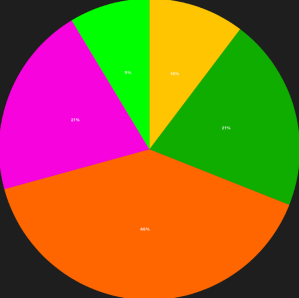
Total Time: 19 hours and 39 minutes across 29 sessions in 5 categories.

Focus Time-39% (7 hrs 36 min)

Team Meetings-22% (4 hrs 19 min)

1:1 Meetings-22% (4 hrs 15 min)

MiniMindfulness-13% (2 hrs and 28 min)

Community Time-5% (59 min)

Observations of Week 5 – My total time lowered again this week, but it’s still right around the 50% mark that has been my rough target all along. The top categories continue to be Focus, Team Meeting, and 1:1 Meetings. I didn’t do anything out of the ordinary this week, so these 5 categories feel like the “standard pack” that I should see at a bare minimum.

I continued to have some minor issues with bugs in Workrooms, but nothing that I’m too worried about. I also had a “glass shattering ” moment this week when I moved between social VR and solo VR. The dramatic shift is something to think about as this type of solution scales, especially for people new to virtual reality. On to Week 6!

Till Tomorrow…

BC

My VR Office Experiment: Day 25

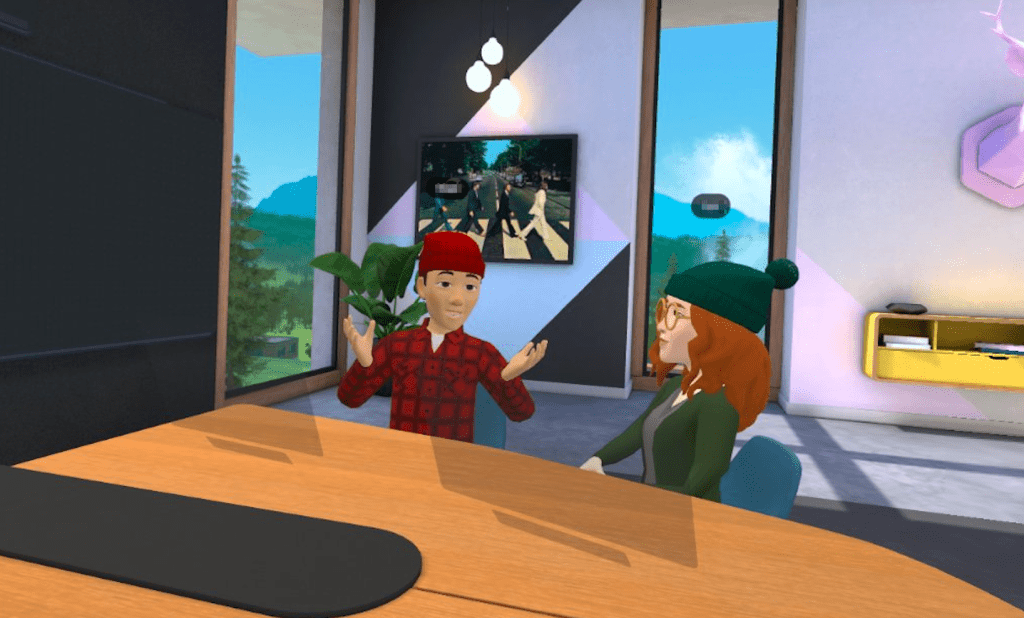
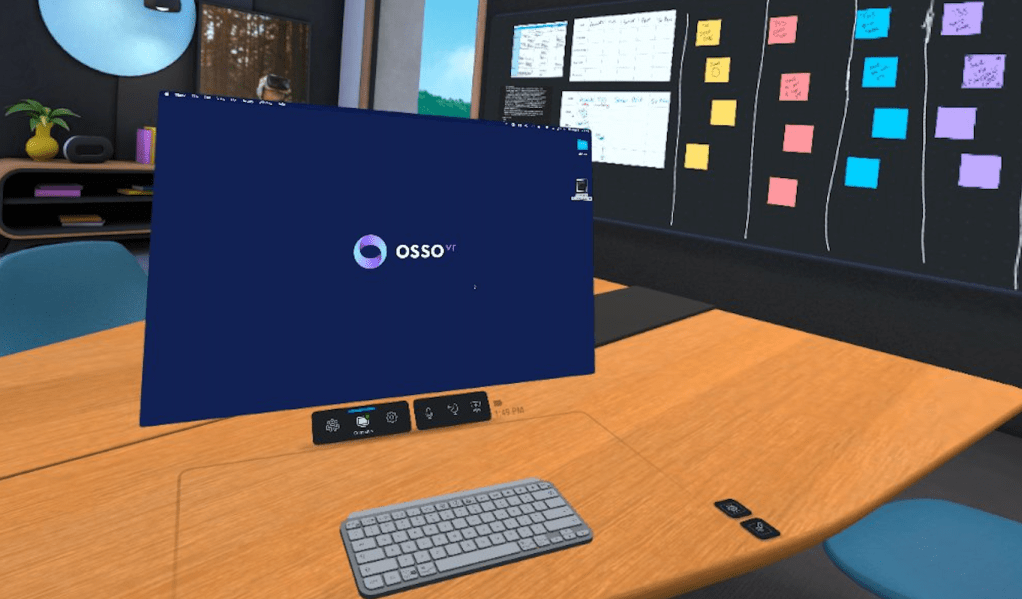
Meeting in the “Abbey Road” Conference Room

Day 25 in the Virtual Office! Week 5 COMPLETE!

Total Time in VR: 2 hours and 37 minutes (across 4 VR sessions)

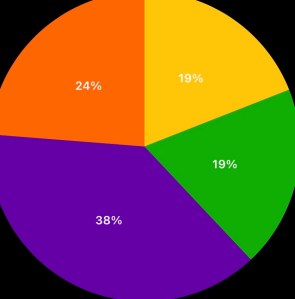
Use Cases: Team Meetings (38% – 1 hour), Focus Work (24% – 37 min), 1:1 Meetings (29 min), MiniMindfulness (19% – 30 min)

I started out today chatting with some co-workers about survey data that can lead to valuable metrics, as we continue our evaluation of VR as an office tool. It’s very important to not just gather qualitative data (how much did you like it?), but to also gather quantitative data (metrics driven by numbers!) I continue to use my working draft of a daily survey, but it will morph a little over the weekend into a better tool for Week 6. I am lucky to have people around me who share my vision. It’s a hard vision because it is not blind enthusiasm, nor is it biting skepticism. I believe we are approaching the “Metaverse Office” with a realism at the center. Figuring out how this tool can enhance our work, but making sure that regardless of how “cool” it is, the tool does not distract us from the real priorities. I think we’re on a good path.

Cup Half Empty: Frozen Avatars! During my first meeting today the two avatars in the room kept freezing. Sometimes for a couple seconds; sometimes for a couple minutes. It was pretty distracting for me. Thankfully it didn’t seem to be something impacting them, which leads me to wonder if the issue is headset based or WI-FI based. I might need to consider to designed experiments to test that theory in the future. Otherwise, the day was pretty bug free.

Cup Half Full: I spent less time in VR today, but the time I spent was a nice balance of solo, 1:1 and team meetings. It’s making me wonder more about the max amount of time the platform. Are half days realistic? I know I can handle those types of hours, but I am thinking beyond early adopters and beta testers. There is a number, and time will hopefully bring it into focus.

#TLDR

A shorter day in VR shows me that balance between use cases makes the day feel… well… balanced! I didn’t experience as many issues with bugs (of course less time in VR means less chances for bugs to reveal themselves). I feel pretty good with the week, after being away from the VR Office last week, and I’m excited to keep thing going in Week 6.

Watch for the Week 5 Weekly Wrap up this Sunday. Hopefully there will be another video posting Saturday evening as well, but it’s an ambitious thing I’m trying to do, and I’m a little nervous about how it’s going to go. Fingers crossed!

Till Tomorrow…

BC

My VR Office Experiment: Day 24

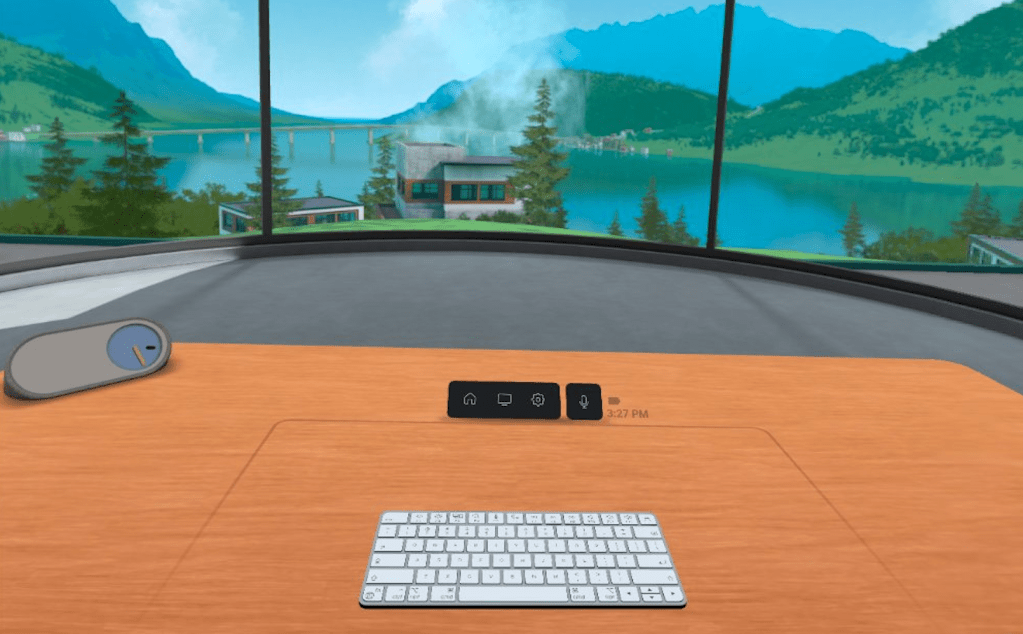
My Workshop in Horizon Workrooms

Day 24 in the Virtual Office

Total Time in VR: 5 hours and 37 minutes (across 7 VR sessions)

Use Cases: Focus Work (50% – 2 hours 48 min), Team Meetings (24% – 1 hour 19 min), Community Time (18% – 1 hour), MiniMindfulness (9% – 29 min)

I did not expect to spend so much time in Focus today, after the shock yesterday from going in and out of 1:1 meetings and Focus. But I had less meetings today, and since this experiment is intended to push the pedal as far as it can go, when the opportunity arises, I took that chance and jumped into Focus whenever I could today. And it was good today. I didn’t feel that same emptiness from yesterday. I think it might be because yesterday I was having great conversations one-on-one, and then I was alone for a while. The “working alone” part isn’t the issue, it’s the hard shift from social to solitude, at least that’s my best guess for the moment.

I got to do Community Time today with my whole team, and I proposed a “team building exercise”. We went into Walkabout Minigolf and set our Locomotion to 2.0 (some of the team are getting used to flying in VR). Then we lined up out in the water around Welcome Island and took off like a little train, following the lead of the person in front. I’ve read that when you do things in unison (flash mobs come to mind) it causes a bonding element. I was at the back of the train as we approached the large pirate ship. I shouted “let’s jump it!” The person in the lead rose out of the water and appeared to be jumping just the “boat” portion. I shouted “all the way over the highest mast!!!” and responding to the leader, all of us shifted into an almost vertical climb high into the sky. As we crossed the top mast, I shouted “back to the water!!” and we descended again in a straight line down to the water below. It was thrilling. We were in that moment TOGETHER. I can remember it right now almost 12 hours later, as if it’s still happening. And that is powerful. That is team building on a whole new level, and I was thrilled with how it went. Hopefully as our tolerance for “flying in VR” increases, so will our speeds (it goes up to 5.0).

**if you try this experiment yourself with friends or colleagues, it is crucial to have everyone in a spinning chair. The key to reducing motion sickness is to do all the turning physically, not using the controller as the mechanism. In minigolf, you just hold the putter straight in front of you and steer with you body. And the body is tricked and motion sickness reduces.

Cup Half Empty: Not too much to complain about today. I was kicked out of Workrooms once today, back to the main menu. We had a Workrooms update a couple days ago that appears to be a “bug fix update”, so maybe they still have a few bugs to swat. I had a meeting in the afternoon with one person joining me in VR and another joining via the Web Portal. On Web Portal, he mentioned that he was seeing some white flashes in the Portal that made it hard for him to focus on the screen. It could be a hardware thing on his end, or it could be a software thing. I will make sure to take note of any times I hear that feedback in the future. I’ve had TONS of people join via the Web Portal over the past year (which is how long I’ve been using Workrooms), and I’ve never heard this issue before. The Web Portal is crucial though, as we want to make sure that VR isn’t a requirement to join virtual meetings. That’s how you scale it across the spectrum and create a little FOMO along the way.

Cup Half Full: I’ve already hit the biggest half full thing today, the Community Time Pirate Ship Jump. I wish I’d taken a picture, but I couldn’t as I was truly living in the moment. VR felt so much better today than yesterday. One of my questions on my daily VR Survey is “How excited are you to do VR tomorrow?” and my score was low yesterday. But I’m committed to this experiment, so I didn’t let a lack of enthusiasm stop me. I’m glad I didn’t because today I had the same energy that I had at the beginning of this thing. And an idea I had about building team bonds through unison VR flight proved to be pretty cool.

#TLDR

The wind is back in the sails as I approach the weekend. I didn’t let a rough day of VR yesterday stop me from going ALL IN with my Focus Time today. I have some ambitious plans for my VR filming sessions this weekend, so I need to keep the energy up!

Till Tomorrow…

BC

My VR Office Experiment: Day 23

Day 23 in the Virtual Office!

Total Time in VR: 4 hours and 28 minutes (across 6 VR sessions)

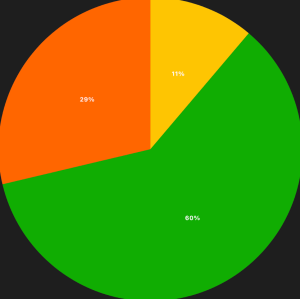
Use Cases: 1:1 Meetings (60% – 2 hours 41 min), Focus Time (29% – 1 hour 16 min), MiniMindfulness (11% – 30 min)

Today I spent a lot of time in 1:1 Meetings. I do monthly development meetings with my team and today was the day. While we often do those on Zoom (gotta see the faces!), lately we’ve done them in Workrooms, where we do pretty much all of our other meetings already.

It was great to spend that face-to-face time with each of them. Every time we do this activity it reminds me how powerful VR is for building connections; for building relationships. I care about my team, and I would even if all we did was Zoom. But there’s an element that is added when you spend time in “virtual proximity” to one another that is hard to explain, but you know it when you feel it.

At the same time, the solo sessions in between my 1:1 meetings felt very hollow today. I even jumped on my Sprinter page to rattle off a 15 minute stream of consciousness that I will not burden anyone by sharing. In the writing, I talked myself into understanding that I was feeling the same feelings I would if I was with people in a physical space and then was suddenly completely alone. It’s jarring. My brain didn’t like it. But there’s more to explore to figure out how to find balance, or how to reset expectations of how a VR Office Space might function.

Cup Half Empty: I started tracking each time VR got in the way of my productivity today (and I track it in the daily survey too). During my first 1:1 this morning I was totally booted out of Workrooms. Like all the way to the Landing Page with my apps. I sent a quick Slack to say I was coming back, and after a minute I was back in the room, but it had derailed the convo for a bit. Apparently I just appeared grey with “connecting” over my head the whole time I was gone, but it took us a few minutes to get back on track. I was worried that would happen in all of my meetings today, but it did not. In one meeting the avatar froze a couple times, but it seemed to un-freeze after a few minutes. That was a little jarring, but I could see past it in a way that other users probably would not. So avatar freeze remains a worry for me when thinking about scaling the solution.

Cup Half Full: Despite those jarring moments, the majority of the time in my face-to-face meetings today was awesome. I know my team by their avatars almost better than their real faces (and the same goes for my avatar with them)! I was excited to spend so much time in conversation today. My largest category is usually Focus Time, which is great but solo, and collab is where the best experiences will be found.

#TLDR

I had a much busier day in VR today because of many scheduled 1:1 meetings. I was surprised by the jarring difference between being in collab VR and suddenly being in solo VR. I really want to think more about how that hard shift plays with the brain a bit more than I expected. The issues of avatar freeze are becoming a bit of a trend, so it’s good I’m tracking those things in my daily survey. All in all, this was a good day in the VR Office!

Till Tomorrow…

BC

My VR Office Experiment: Day 22

Day 22 in the Virtual Office

Total Time in VR: 2 hours and 29 minutes (across 5 VR sessions)

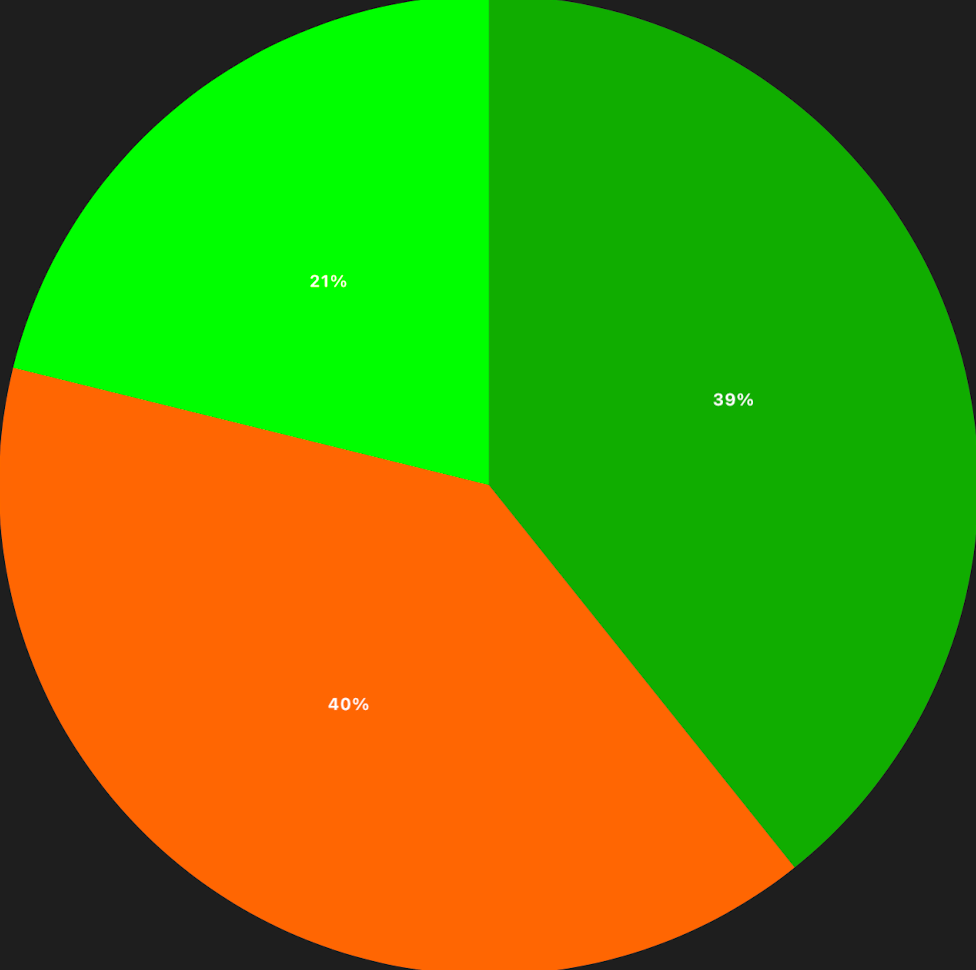
Use Cases: Focus Work (38% – 56 min), 1:1 Meetings (23% – 33 min), Team Meetings (20% – 29 min), MiniMindfulness (20% – 29 min)

Winter came today, and with it a dip in my VR time. One thing that VR will never fix is tough winter driving (until we all live in the metaverse…which sounds awful actually.)

The four categories for today are becoming a solid trend. I use VR for solo work and meetings with individuals and teams (and meditation). These are metrics I expected, but it will be interesting to see how the numbers look at the end of the experiment. I did a lot of “HR Work” today in VR, which made something that might seem tedious at times more enjoyable. I think that’s one of the levers of the VR Office to really consider. What activities might you enjoy more just because you’re in VR when you do them?? I definitely enjoy my 1:1 discussions and my morning stand up meetings with my team more in VR then I would on Zoom. I’d probably like them even more in person, but as I work for a fully remote company that’s not really an option.

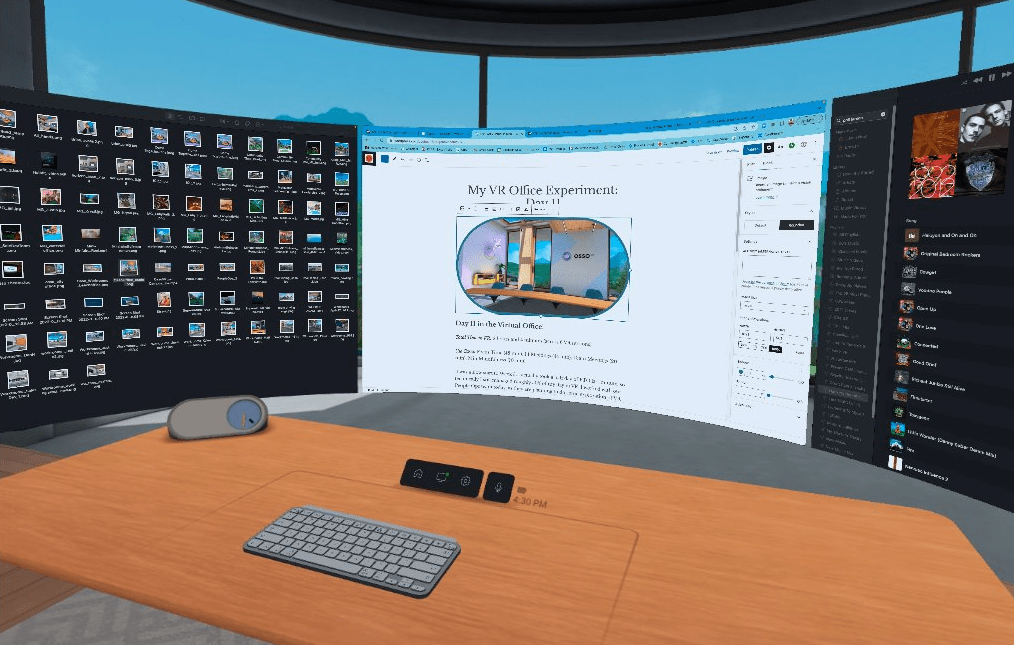
Cup Half Empty: Everything went pretty smoothly today. I did some testing of PC Monitors in Workrooms and confirmed that PCs are limited in a way that Mac computers are not, at least for now. To create multiple monitors in the Private Office with a PC you must have that many physical screens running at the same time. My testing was with an open laptop and monitor. That config gave me dual screens in the VR Office. There is a note that updates are coming to add Virtual Monitors to PCs. With my Macbook hooked up, I can create 3 virtual monitors (big ones!) with one 13 inch screen, and the laptop doesn’t even need to be opened!

I’ll keep grumbling about the keyboard issues. My Logitech MX Keyboard failed to map at all today.

Cup Half Full: This afternoon I had a toothache. I’ve always been fascinated with “VR for pain therapy”, and so instead of taking some pain meds I decided to use VR. I immersed myself in my full rig: Face Cover with Fan, Noise Cancelling Airpods, and Neck Fan. I basically did everything I could do to disassociate myself from my physical environment. Then I started some music and got to work. And I forgot about the tooth. Yep. The brain can be tricked, if you have the right tools. I’m not saying it would always work, but it did today.

I actually did a similar test after knee surgery a while back. Instead of taking all of the opioids I’d been prescribed, I used Walkabout Minigolf, and would fly around the courses having a blast, thoroughly distracted from the pain of my knee. And I only took half the pills that I had been given. Something worth pondering…

#TLDR

The return to full speed continued today. I felt productive doing tasks that I might have drug my feet on if I was just staring at my screen. I had several face-to-face meeting in VR that wouldn’t have been as fun if I was just staring at my screen. I even used VR to manage some low-level pain. That’s a positive impact I hadn’t even considered when I started the VR Office Experiment. What else might come up in the weeks ahead!?!

Till Tomorrow…

BC

My VR Office Experiment: Day 21

Day 21 in the Virtual Office! We’re back!!

Total Time in VR: 4 hours and 27 minutes (across 7 VR sessions)`

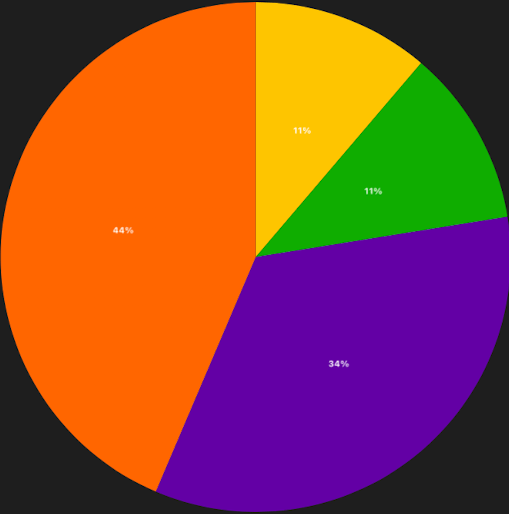
Use Cases: Focus Work (44% – 1 hour 56 min), Team Meetings (34% – 1 hour 30 min), 1:1 Meetings (11% – 30 min), MiniMindfulness (11% – 30 min)

After a full 7 days of downtime, I am back in the VR Office to start up the second half of the VR Office Experiment. Four more weeks of daily tracking and nightly posts! So here we go!

I was a little hesitant this morning as I was setting up the office this morning. While I did some VR last week, I didn’t do any “VR for Productivity” stuff. So it really did feel like “going back to the office”. After starting the day in the usual minigolf meditation session, I found myself on Zooms again for a while. Then I needed more screen space to multitask, and I knew the best place for lots of screens was the VR Office. So I moved to Workrooms and stayed on the Zoom from inside VR. After starting with two monitors in VR, I found I needed more space, and added in the third monitor (which can only be done on Mac computer at this point). Once my full screen array was in front of me I was flying again!

It’s worth noting, I intentionally have not hooked up monitors in my home office. I want my only option for “big screens” to be in VR. I find it interesting that I am “forcing myself” to use VR in this instance. I’ll have to keep my eye on that, and maybe bring the monitors back eventually to see how much I “choose VR” over the monitors that are already there in the physical space.

Cup Half Empty: During a team meeting in Workrooms today all the avatars froze again. They were still talking and everyone but me could see movement. I hopped into my Personal Office and back and it reset the avatars. It’s annoying to say the least. Also one of the people on my team was kicked all the way out of Workrooms during that same meeting. Strong Wifi, decent battery life… So no idea why it happened. He re-joined without issue.

I want to speak briefly about the “issue with keyboards” in Horizon Workrooms. I have a co-worker who wants to explore the VR Office but she doesn’t have a keyboard that is mapped, and even with passthrough desk view it is very hard to read the keys. Even my mapped Logitech MX Keyboard and Apple Magic Keyboard will fail to map quite often. This is a very big problem that needs to be addressed. I am a “touch typer“. I was taught typing in a way that means I don’t have to look down, ever. I just feel out “F and J” (they have the bump on them) and I know I’m on the “home row” and I can type like a maniac without looking down. But many people don’t type that way. Even if they do, not being able to look down for those tricky characters like “$ or *” is a dealbreaker for many. I think that fixing the issue with keyboards is one of the most important things that Meta should be looking at with Workrooms. It doesn’t matter if new avatars roll out, or the space becomes more functional. If the input device is glitchy, it is dead on arrival in terms of scaling the solution, IMO.

Cup Half Full: How do I do glass half full after that keyboard tirade? Despite the issues I mentioned, today was a good day in VR. The idea of “returning to the office” felt pretty good, but only after I was back in VR working. I think it’s okay to not be thrilled about going back to the VR Office as much as the physical office after a long holiday weekend. If anything, it means the VR space is being normalized in my mind. It’s no cooler than the physical office, just more useful (at least for me).

I also added a neck fan that I got on Black Friday. It’s noisy, so I partner it with noise cancelling Airpods, and only use it in Focus work. I tested it in a 1:1 meeting and on it’s lowest setting it can’t be heard in VR (on medium and high it is loud enough to invade the virtual space). I like having this cooling option to partner with my face cover fan. Still, it’s more peripherals and is starting to make me think of my VR setup like the original Game Boy when optimized for light, sound, and magnification.

#TLDR

It feels good to be getting the VR Office Experiment going again after the holiday break! It also feels a little daunting, as this means tracking all my VR time throughout the week and posting about it every night. And then doing videos on the weekend. I definitely will change my schedule after the Experiment is over, but I’m committed to sticking with my plan.

To that point, I did begin using a daily survey today. It’s pretty boring at the moment, but hopefully something I can show off during the Week 5 Wrap Up Video this weekend! I’m tracking straight usage, productivity, and feelings across roughly 10 survey questions. More to come!

Till Tomorrow…

BC

My VR Office Experiment: Day 20

Day 20 in the Virtual Office! Half Way Point!!

Total Time in VR: 2 hours and 32 minutes (across 4 VR sessions)

Use Cases: Focus Time (1 hour 19 min), 1:1 Meetings (1 hour), Evening Work (32 min)

Today marks the half way point for the VR Office Experiment. As with most Fridays, today was a very light day in VR, and that is okay. When I have lower VR days I have to keep reminding myself that I am trying to test out a realistic use of virtual reality for work. Some days VR isn’t the default. Some days if I forced VR into my work day I would be working against my own goals. Being a known VR Enthusiast, it is sometimes hard for me to convince people I am unbiased. But it’s my enthusiasm that is forcing me to stay as neutral as possible. There are plenty of VR fanatics putting their fingers on the scale in favor of VR’s viability for work (or the opposite). I think I’m holding a good balance half way through my experiment.

Cup Half Empty: I didn’t run into any major issues today, mainly because my usage was pretty low, and much of the time I spent in VR was just conversation. The cursor can’t go crazy if you aren’t using it that much (as I type this in VR, I’m just waiting for the cursor to go crazy, which would make me laugh). The fourth week saw the first sustained negative trends with the tech getting in the way of work once in a while. That needs to stop in the second half, or scaling this tech in it’s current form will be challenging, if not impossible.

Cup Half Full: I had one 1:1 meeting today that was going to move to Zoom so we could record it, but I didn’t want to do Zoom to start my Friday. Plus this co-worker is a BLAST to hang out with in VR. Not because of VR specifically, as I’m certain she is a BLAST to hang out with in the non-VR world as well! It was great to have that solid reminder today of how VR brings us together the same way it would if we worked in the same office. Because when we are in VR, we ARE in the same office!

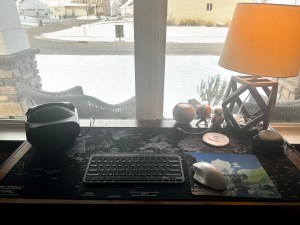
Week 1 – Autumn
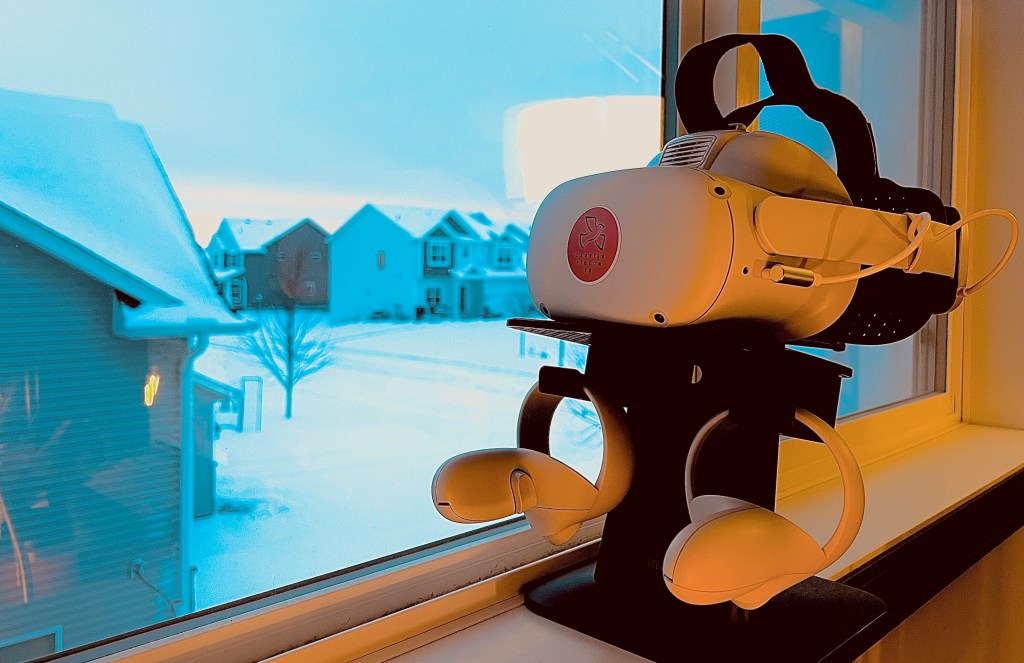
Week 4 – WINTER!!!

#TLDR

What a wild four weeks. The difference out my window is stark! I think this first half proved out a few things like the possibility of longer term use in VR (with properly upgraded accessories), and that VR can be used for a wide range of meeting types. In the second half I want to focus on measurement tools. My daily numbers will prove valuable during my “data analysis phase” in January, but I need more data about the day to day experience (good and bad). So those surveys will appear in posts after the holiday week.

I started this blog to track my progress for myself. I chose to be more public about it, as I have many friends in the “VR community”. Thank you to the many of you who have chosen to read these posts and watch the videos. It means a lot to me that others find value in what I’m doing. I’ll be off next week (after the Week 4 Wrap Video on Sunday). Back with “Day 21” on November 28th.

Last note: I have a fun video going live tomorrow, so watch out for that one.

Till Tomorrow…

BC

My VR Office Experiment: Day 19

Day 19 in the Virtual Office

Total Time in VR: 4 hours and 51 minutes (across 8 VR sessions)

Use Cases: Focus Work (1 hour 55 min), Community Time (1 hour), 1:1 Meetings (1 hour), MiniMindfulness (30 min), Evening Work (25 min)

We are coming up on the half way point of this VR Office Experiment, and I definitely feel the wind in my sails. At the same time a few glitches are starting to become quite frequent, which is concerning. But the positive side still outweighs the negative for me.

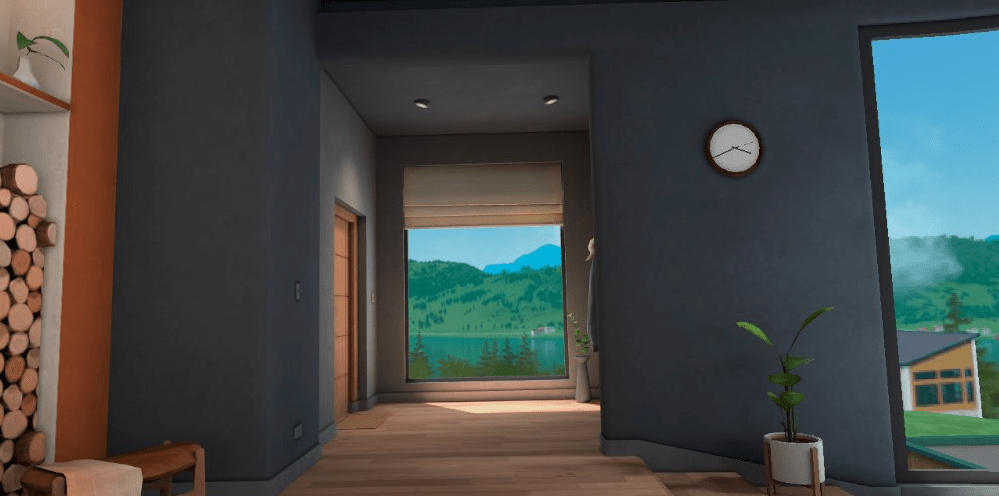
I spent almost two hours in my Private Office today doing a variety of productive work, and so I thought it would be fun to give a quick 360 view of the Lake Office in Horizon Workrooms. My actual windows are currently showing a cold world covered in several inches of snow, so I definitely prefer this VR view, and the fireplace is welcome in both realities!

360 View of the VR Office in Horizon Workrooms

Cup Half Empty: As I mentioned, some glitches are becoming predictable. This is DAY 3 of the cursor issues. It only happened a couple of times, but it knocks me off my rhythm whenever it happens. I also experienced the odd thing of an avatar freezing even when the person sees themselves moving. This happened in my weekly 1:1 with my manager. The frozen avatar is just incredibly trippy when it happens. I had to exit to my Personal Office and come back to resolve the issue, and it didn’t happen again. I also experienced getting kicked all the way out of Workrooms today, which hasn’t happened in a long time. That was while using Quest Pro, so perhaps it’s unique to the newer headset.

Cup Half Full: So many negatives today! But my overall experience remains good. I started my day in Mini-Mindfulness, and discovered how the campfire of Bogey’s Bonanza can be used as a Virtual Sun Lamp. With winter upon us, I might be returning to that campfire often.

#TLDR

I made the mistake to read a couple reviews of Horizon Workrooms yesterday. I tend to place more value in negative voices than positive voices (something I’m working on), and most of those reviews were pretty negative. But I could also tell that the reviewers hadn’t spent much time in the application. Complaints that they found damning, I could have probably fixed with a slight headset adjustment. So that is both discouraging and also somehow encouraging. I’m doing this experiment to create a voice that has actually tried to use VR in a productive way. If it sucks, I’ll say so in the end. And I’m certain there will be things that are not good about working in VR (especially if that cursor problem continues). But my experience at the almost half way point has been overwhelmingly positive. Which is what frustrates me when I read reviews that pass judgement after a couple hours of “kicking the tires”. I’m not kicking the tires, I’m driving the car across the country. And we’ll see how rough the road is once we’re a little further.

I am experimenting with some survey questions to ask myself in the second half of the VR Office Experiment to better measure both my productivity and my mental health using VR on a regular basis for work. More to come in December!!

Till Tomorrow…
BC

My VR Office Experiment: Day 18

Day 18 in the Virtual Office

Total Time in VR: 4 hours and 55 minutes (across 10 VR sessions)

Use Cases: Focus Time (1 hour 27 min), 1:1 Meetings (1 hour 3 min), Community Time (59 min), OssoVR Platform (32 min), MiniMindfulness (34 min), Evening Work (19 min)

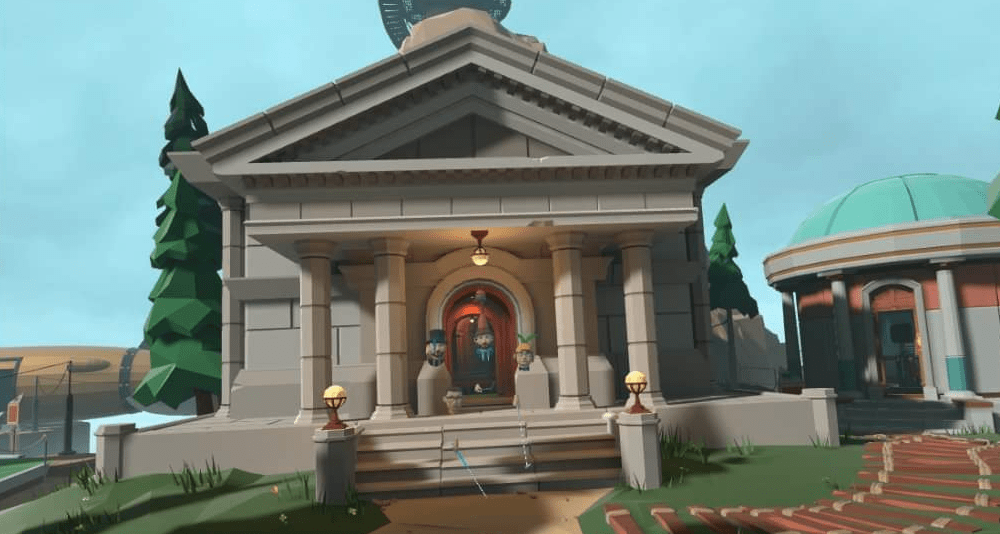
Today’s banner pic highlights our weekly Community Time at OssoVR, on the new Myst course!! It’s been a while since I’ve done the full hour and with a group of 5 (who all gave permission to share photos). While this VR Office Experiment is mostly about the productivity to be found in focus work and collaborative team work, the value of building community at a remote company shouldn’t be minimized. Without such tools, burnout and turnover are much more likely. Productivity relies on good mental health.

Today was a very balanced day in VR. I spent similar amounts of time in Focus Time, 1:1 Meetings, and Community Time. That balance meant that I got a bunch of solo work done, I got collaborative work done, and I had some social time with my remote co-workers. On top of that I spent some time in the OssoVR platform helping assist with another surgical training promo video, AND the day started in MiniMindfulness where I wasn’t alone for the first time this week (and we had our session on the brand new Myst course!)

Cup Half Empty: The issues of latency continue. Screens lag a little in Workrooms. The cursor problem also continues. I find that I just have to let the cursor run around for a bit on it’s own, and when it stops I can keep going. If I try to start clicking to stop it, that only makes it worse. Sound was also a little choppy/sped up when the cursor went crazy. That’s DAY 2 of those issues, and not a good thing at all.

Cup Half Full: I had several good connections in VR today, and what is interesting is I was paying close attention to my 1:1 Zoom calls today compared to VR. The simple answer is “VR is better”. I am going to try and give a solid reason that isn’t just a “in my experience” type answer, but that won’t come until I can tabulate my data. Community Time was with a larger group than normal, and on a brand new course. So there was lots of new discovery as a group, and a bit of goofing around, which is sometimes exactly what a Wednesday calls for!

#TLDR

The hours increased today, but this experiment isn’t just about the hours. The hours need to be productive, and today I can clearly say that I was more productive in VR during all of those hours. The massive monitors that are often minimized in tech reviews, truly make things easier for me. All of the important screens are just a glance away. Clicks are minimized. Window management is drastically reduced. That saves me time, and keeps me in FLOW state. Today was a good day to work in virtual reality!

Till Tomorrow…
BC (with a bird hat from Labyrinth Course)